Turbo Smash 3D — Kart Battle Arena Game
A fast-paced 3D kart battle arena game where players race and fight across 5 themed maps using explosive weapons — machine guns, bombs, nukes, mines,
Preview Gallery
6 media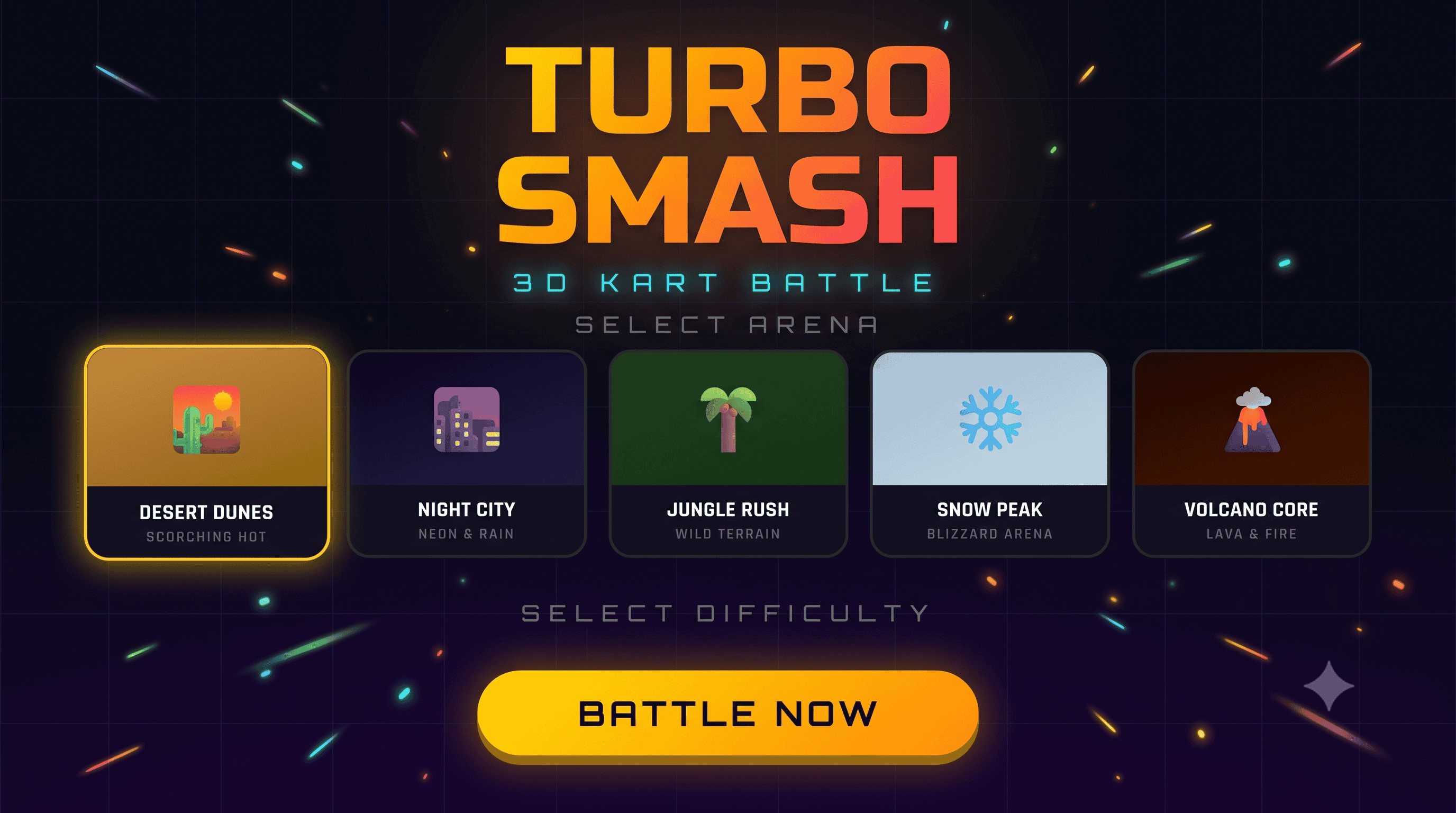
Technologies & Skills
One-time purchase
"Complete 3D browser-based kart battle game built with Three.js, including 5 unique arenas, a 5-weapon combat system, adaptive AI opponents, mobile touch controls, and procedurally generated audio. Full source code included with detailed project documentation."
What's Included
Support & Customization
Resource Links
Purchase this project to unlock source and premium resources. Document/report remain secure preview-based on this page.
Turbo Smash 3D is a complete browser-based 3D kart battle arena game built from scratch using Three.js and vanilla JavaScript, with zero external game engine dependencies. It combines real-time vehicle physics, an AI combat system, and a full weapons arsenal into a single-file, deploy-anywhere HTML5 game.
🗺️ 5 Unique Battle Arenas
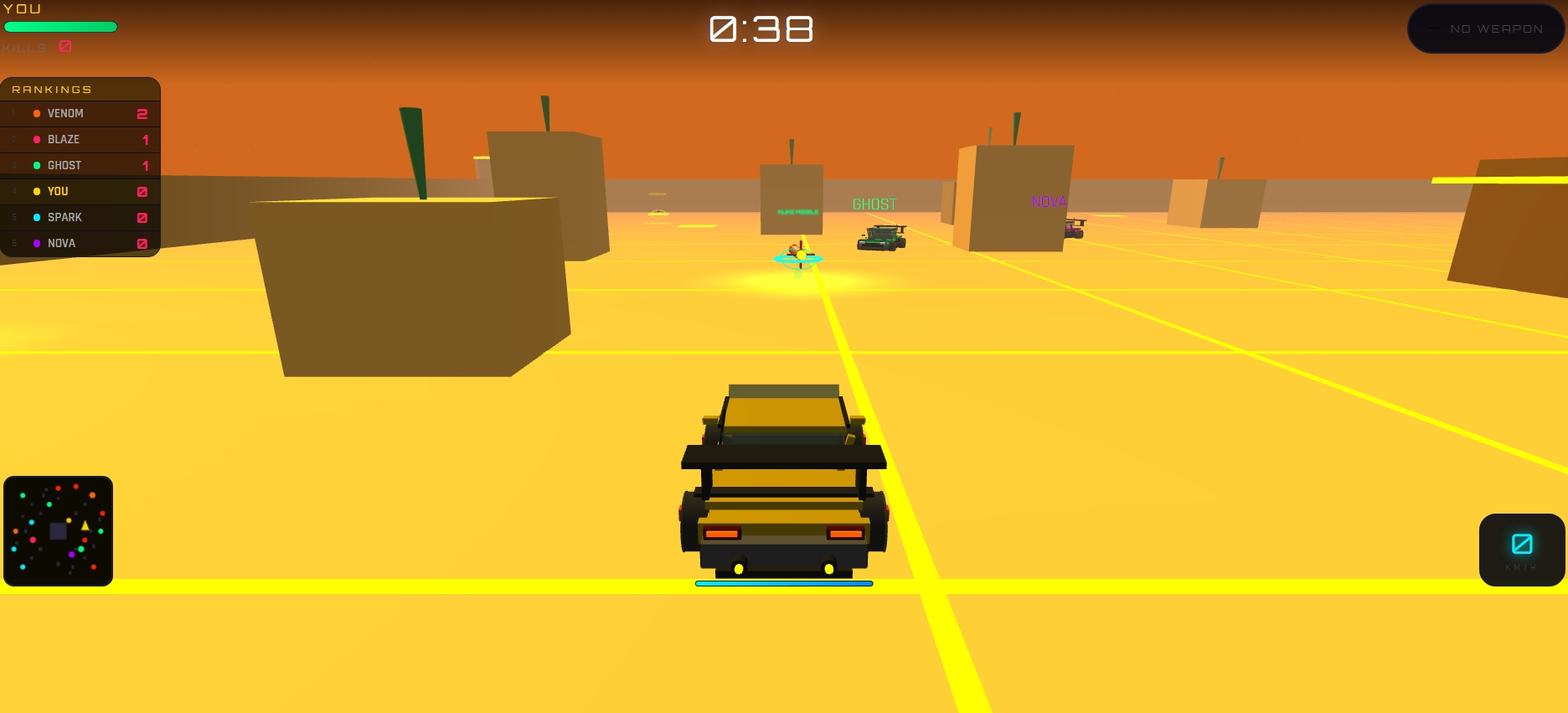
Choose from Desert Dunes, Night City, Jungle Rush, Snow Peak, or Volcano Core — each with its own color palette, fog density, lighting setup, ambient particle weather (sand, rain, snow, embers), and themed obstacle decorations (icicles, lava cracks, neon signs, jungle foliage). Each arena features a central hub structure, boundary walls with glowing corner towers, scattered obstacles, and 12 boost pads.
🔫 5-Weapon Combat System
Every weapon has a distinct pickup model, behavior, and damage profile:
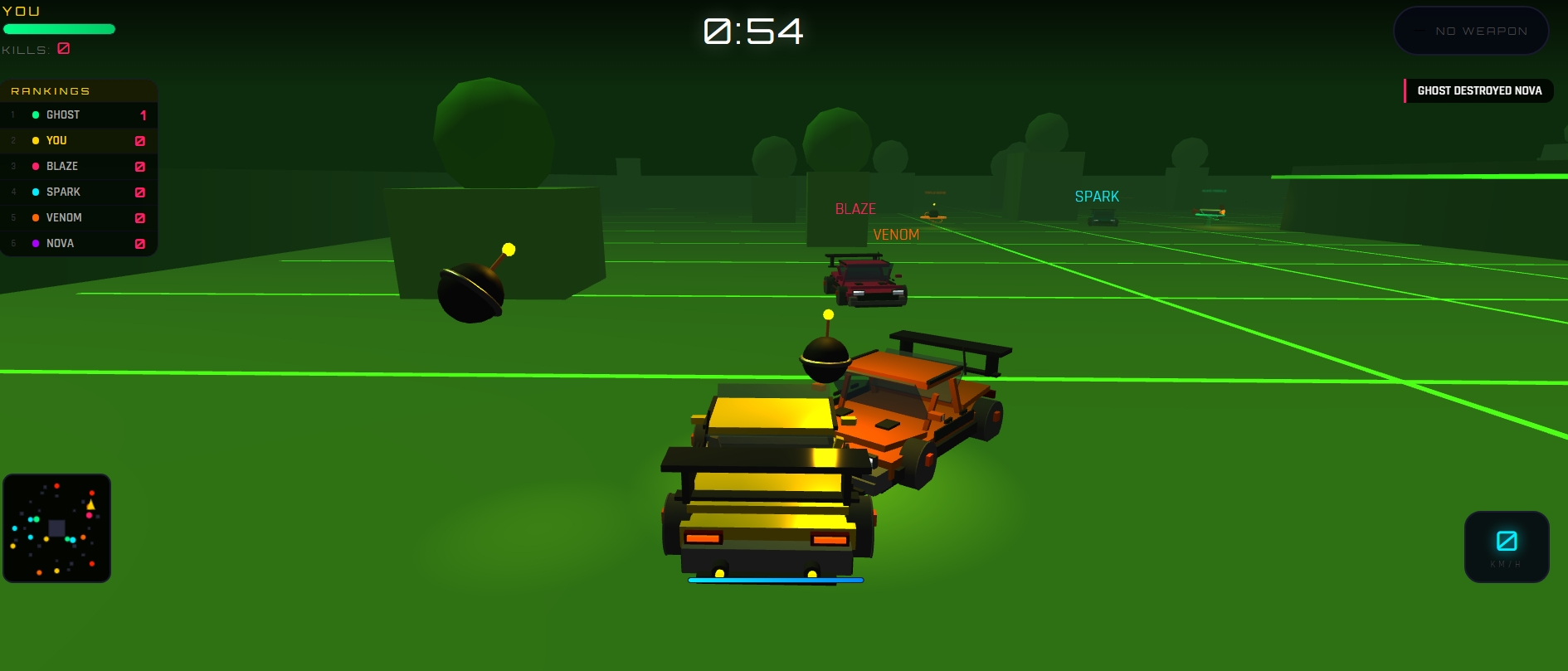
- Machine Gun – fires a 3-bullet burst; stacking hits scale damage up to a kill
- Triple Bomb – lobs 3 arc-trajectory bombs; direct hits are instant kills, splash damage hits nearby targets
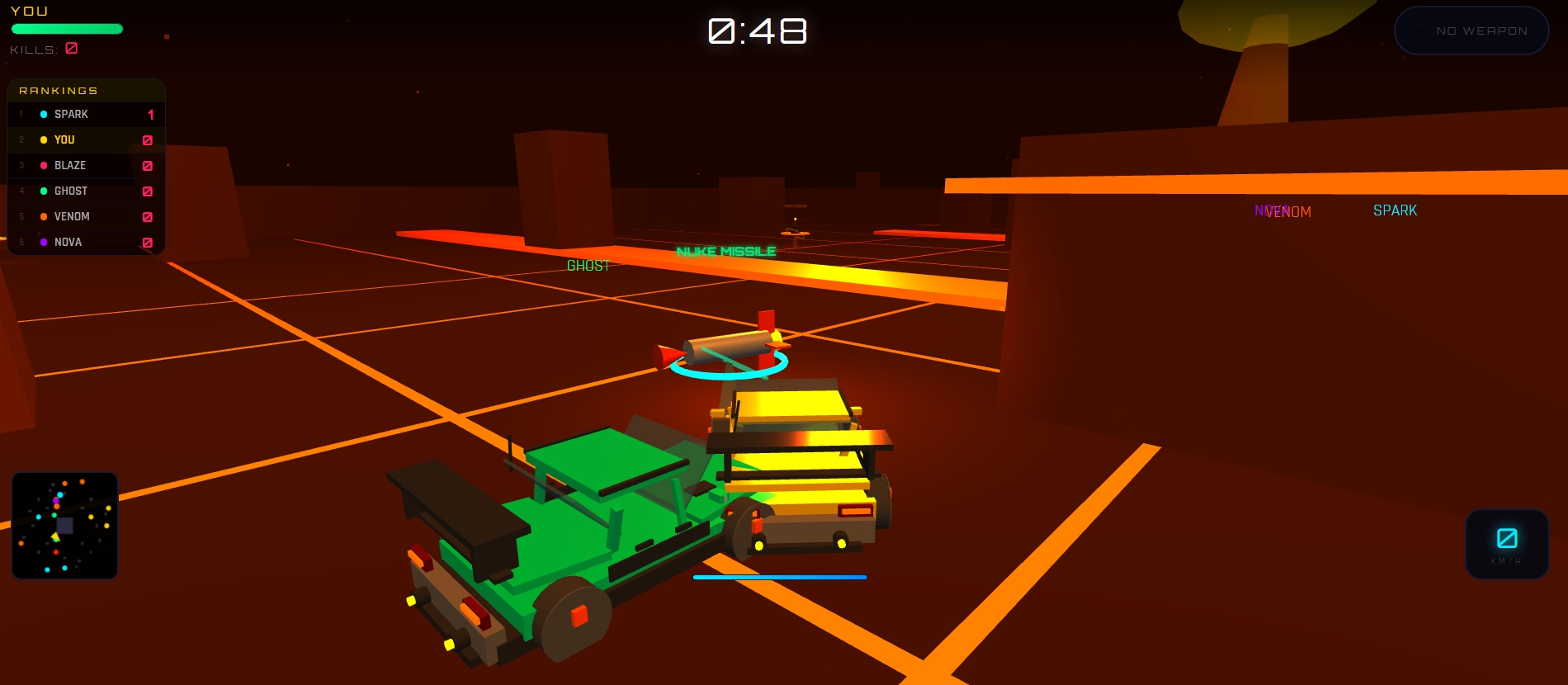
- Nuke Missile – homing-style projectile with a massive AOE mushroom-cloud explosion, screen flash, and instant-kill radius
- Land Mine – drop-and-arm proximity mine with a pulsing warning light
- Shield – 5-second full damage immunity
🚗 Real Vehicle Physics
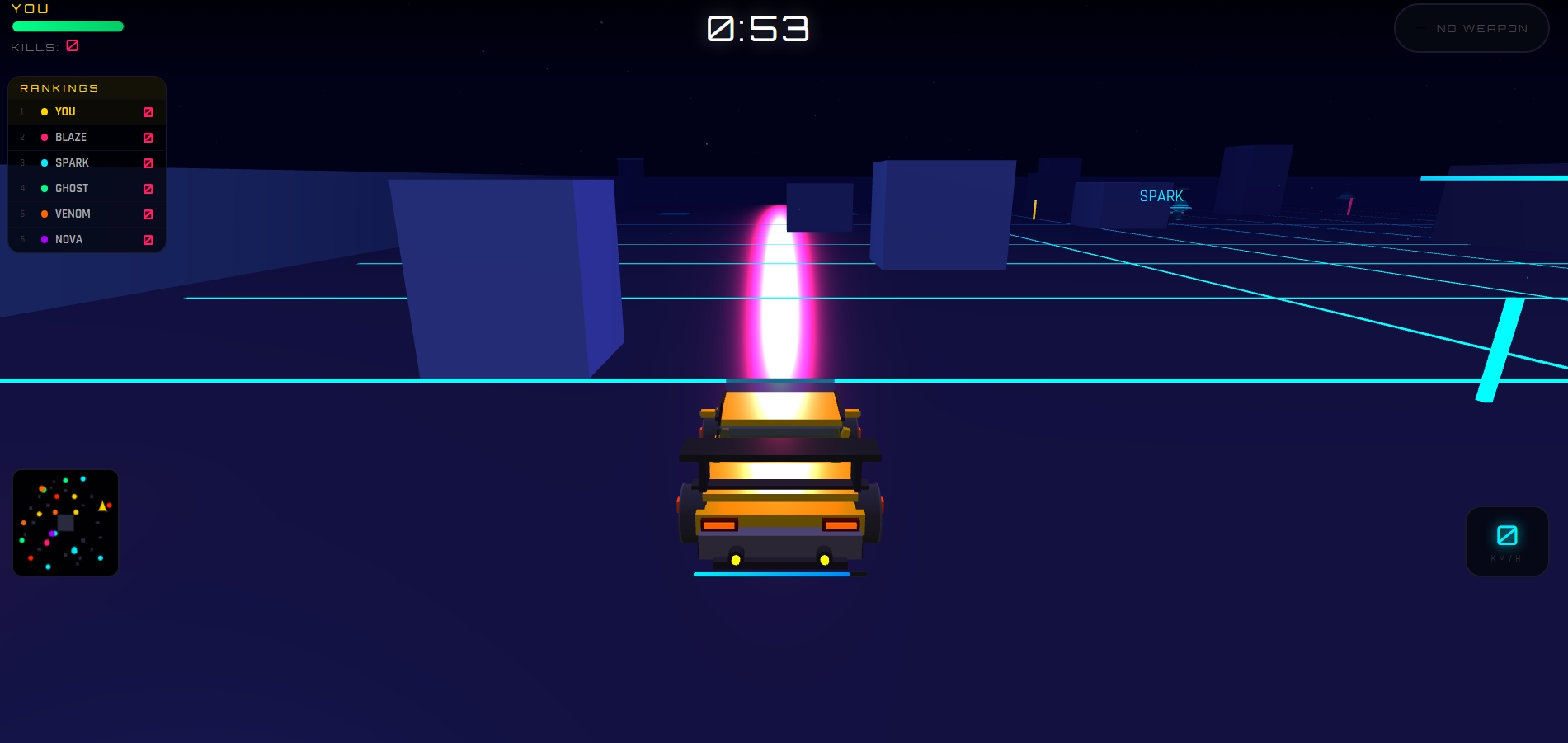
Cars are built as fully modeled 3D meshes (chassis, hood, windshield, wing/spoiler, headlights, exhaust, rotating wheels with visible rims/spokes/calipers). Physics include velocity-based movement, wall-collision with proper surface-normal bounce and scrape sparks, and car-to-car collisions with impulse-based bounce, momentum transfer, and camera shake.
🤖 Adaptive AI Bots
Bots use raycasting wall-avoidance, dynamic pathfinding with flanking behavior around obstacles, and target-priority logic (closest enemy vs. always-target-player). Three difficulty tiers (Easy/Medium/Hard) tune bot speed, reaction time, steering precision, aim tolerance, and hit chance — Hard-mode bots have near-perfect aim and relentlessly chase the player.
📱 Cross-Platform Controls
Full keyboard support (WASD/Arrows + Space/Shift) for desktop, plus a touch joystick and dedicated fire/boost buttons for mobile, with responsive HUD scaling and a portrait-to-landscape rotate prompt.
🎮 Full HUD & Feedback Systems
Live minimap, kill feed, real-time leaderboard, speedometer, boost meter, floating damage numbers, bot health bars, and a dynamic countdown/game-over sequence with rank display.
🔊 Procedural Audio Engine
All sound effects — engine hum (speed-reactive pitch/filter), gunfire, explosions, nuke blasts, pickups, and boost — are generated in real time using the Web Audio API. No external audio files required.
⚙️ Platform-Ready
Includes CrazyGames SDK v3 integration (ad triggers, mute sync, gameplay start/stop events) so it's ready to publish on gaming portals out of the box.
Perfect for developers studying real-time 3D game architecture and physics, or for buyers wanting a polished, dependency-light HTML5 game they can deploy or extend immediately.
Future Enhancements
Online multiplayer support (currently single-player vs. AI bots only)
Additional arenas and weapon types
Persistent player profiles with stats tracking and unlockable kart skins
Leaderboard/ranking system across sessions using local or cloud storage
Additional game modes (e.g. team battles, capture-the-flag, time trial)
Gamepad/controller input support
Adjustable graphics quality settings for lower-end devices
Known Issues
Performance may dip on low-end mobile devices when many bots, particles, and explosions are active simultaneously (e.g. multiple nuke detonations at once).
The in-game leaderboard panel is hidden on narrow mobile screens (under 480px width) to preserve HUD space.
Minimap is hidden on very small screens (under 360px width) for the same reason.
Occasional minor visual clipping may occur when karts collide at high speed near arena corner obstacles.
Audio requires a user interaction (click/tap/keypress) to initialize, due to browser autoplay restrictions — this is standard browser behavior, not a bug.
Installation
System Requirements
- Any modern web browser with WebGL support (Chrome, Firefox, Edge, Safari — latest versions recommended)
- No Node.js, npm, or build tools required to run the game
- Internet connection required on first load (for CDN-hosted Three.js library and Google Fonts)
Option 1 — Quick Run (No Setup Required)
- Extract the downloaded ZIP/RAR file to any folder on your computer.
- Locate the
index.htmlfile inside the extracted folder. - Double-click
index.htmlto open it directly in your default browser. - The game will load and run immediately — no server or installation needed.
Option 2 — Run via Local Server (Recommended for Development)
Running through a local server avoids browser restrictions on some features and mirrors production behavior more closely.
Using VS Code:
- Open the extracted project folder in VS Code.
- Install the Live Server extension (if not already installed).
- Right-click
index.html→ Open with Live Server. - The game will open automatically in your browser at
http://localhost:5500(or similar).
Using Python (alternative):
- Open a terminal in the project folder.
- Run:
python -m http.server 8000 - Open
http://localhost:8000in your browser.
Option 3 — Deploy to a Live Hosting Platform
Since this is a static single-file HTML application, it can be deployed instantly to any static hosting service:
- Create a free account on Vercel, Netlify, or GitHub Pages.
- Upload the project folder (or connect your GitHub repo).
- Deploy — no build command or environment variables are required.
- Your game will be live at a public URL within seconds.
Notes
- All game assets (audio, models, effects) are generated procedurally in-code — there are no external asset files to configure or link.
- The game auto-detects desktop vs. mobile and switches between keyboard controls and touch controls accordingly.
- No API keys, environment variables, or backend configuration are required.
Usage
Getting Started
- Open the game in your browser (via
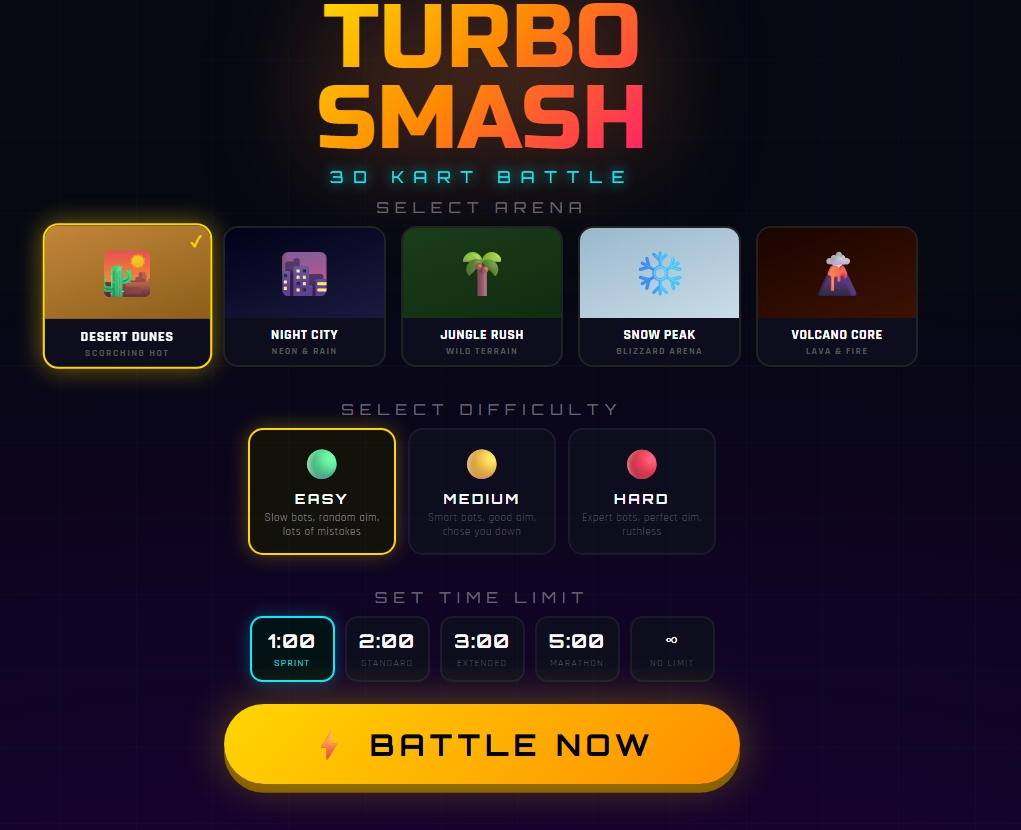
index.htmlor the hosted live URL). - On the title screen, select your Arena — Desert Dunes, Night City, Jungle Rush, Snow Peak, or Volcano Core.
- Select a Difficulty level — Easy, Medium, or Hard — this controls bot speed, aim accuracy, and aggression.
- Select a Time Limit — 1:00 Sprint, 2:00 Standard, 3:00 Extended, 5:00 Marathon, or No Limit.
- Click Battle Now to start the match. A 3-second countdown will begin before gameplay starts.
Controls
Accelerate / Reverse
- Desktop: Arrow Up/Down or W/S
- Mobile: Virtual joystick (up/down)
Steer
- Desktop: Arrow Left/Right or A/D
- Mobile: Virtual joystick (left/right)
Fire Weapon
- Desktop: Spacebar or Enter
- Mobile: 🔫 Fire button
Boost
- Desktop: Shift
- Mobile: ⚡ Boost button
Core Gameplay Loop
- Drive around the arena and collect glowing weapon pickups (Machine Gun, Triple Bomb, Nuke Missile, Land Mine, or Shield).
- Engage AI bots in combat — each weapon has a different range, damage pattern, and use case.
- Drive over boost pads (glowing floor tiles) or use your boost meter to gain speed bursts.
- Track your kills, rank, and health via the HUD (top-left health bar, live leaderboard, minimap).
- Eliminated karts (yours or bots') respawn automatically after a short delay.
- When the timer expires, a results screen shows your final rank and the match winner.
Expected Output
- Smooth 3D rendering at interactive frame rates in any WebGL-capable browser.
- Real-time HUD updates: health, kill count, timer, weapon status, speed, leaderboard, and minimap.
- Procedurally generated sound for engine, weapons, explosions, and pickups — audible immediately, no loading delay.
- A Victory or Defeat screen with kill stats and match ranking once the timer ends.
System Requirements
System Requirements
Operating System
- Windows 10/11, macOS 11+, Linux (any distro with a modern browser), Android 9+, or iOS 14+
Browser (Required)
- Chrome 90+, Firefox 88+, Edge 90+, or Safari 14+ (WebGL 1.0/2.0 support required)
Hardware
- Processor: Dual-core 2.0 GHz or higher
- RAM: 4 GB minimum (8 GB recommended for smoother multi-bot battles)
- Graphics: Any GPU with WebGL support (integrated graphics sufficient; dedicated GPU recommended for consistently high frame rates)
- Storage: Under 5 MB (single-file HTML application, no installation footprint)
Network
- Internet connection required on first load (to fetch Three.js and Google Fonts from CDN)
- No connection required after initial load if assets are cached, though a live server/hosting connection is otherwise assumed
Mobile-Specific
- Touchscreen device with landscape orientation support (a rotate prompt appears automatically on portrait phones)
Slides Open in New Tab
For better readability, slides are opened directly. Documents remain preview-only with secure backend rendering.
Showing preview pages only. Purchase for full access to all pages and complete source package.
Login for Full AccessNo Q&A available yet
Be the first to ask a question!
Ask a Question
Customer Reviews
Write Your Review
No reviews yet
Be the first to review this project!