Talentra-Smart Student campus placement project
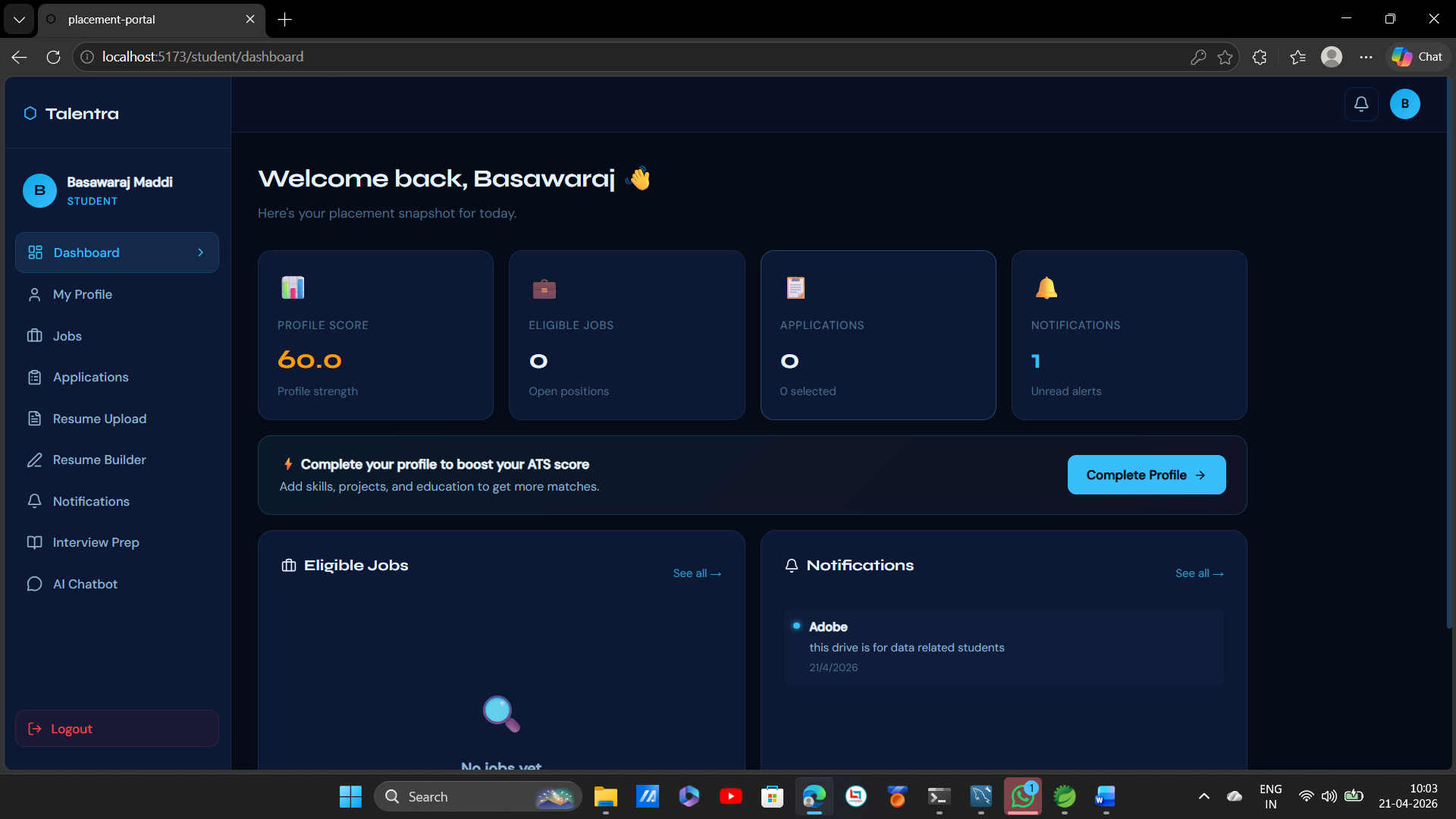
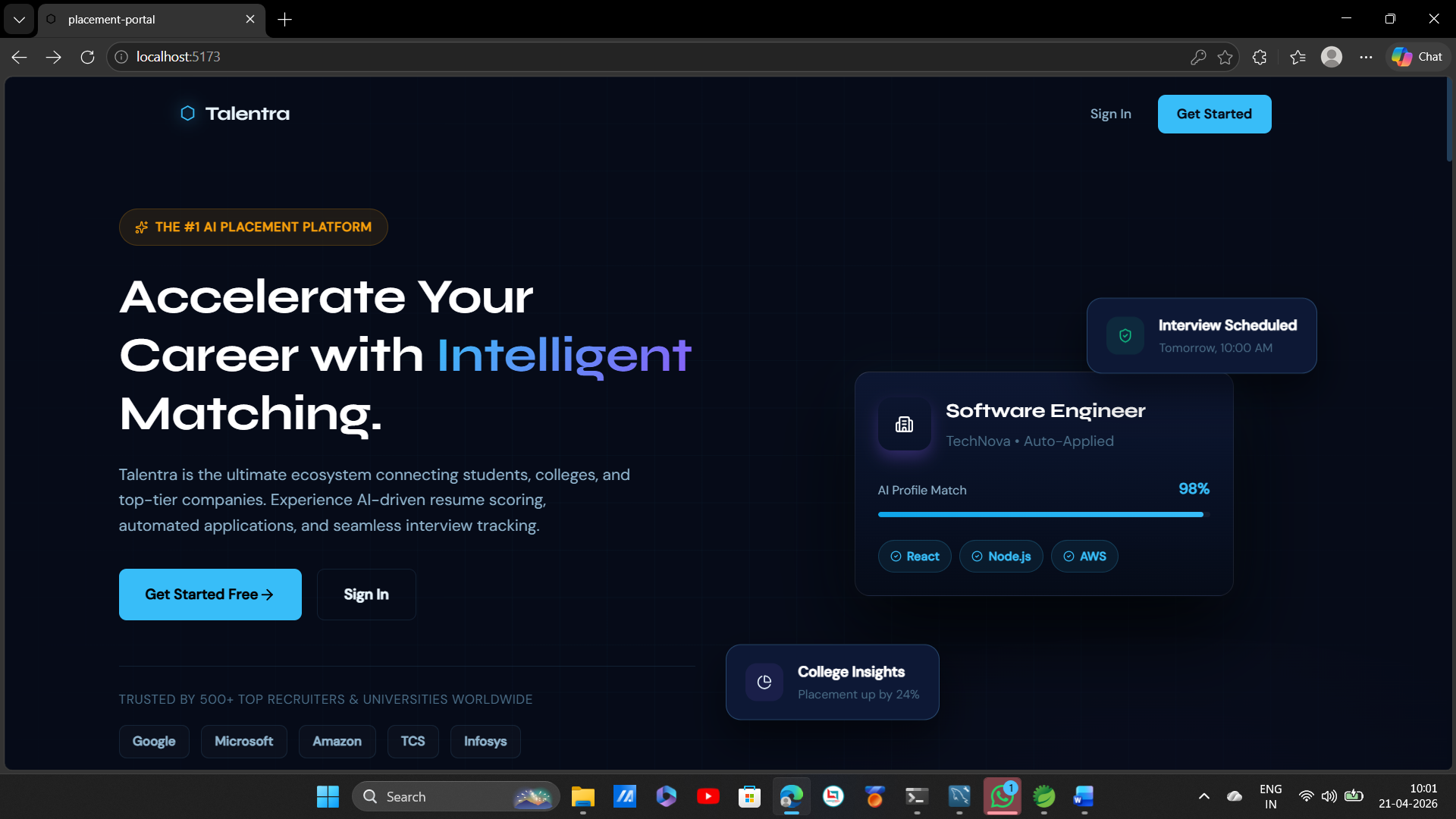
Talentra — AI-powered campus placement platform. Automates job postings, resume scoring, offer letters & analytics. Built with Spring Boot + React.
Preview Gallery
6 media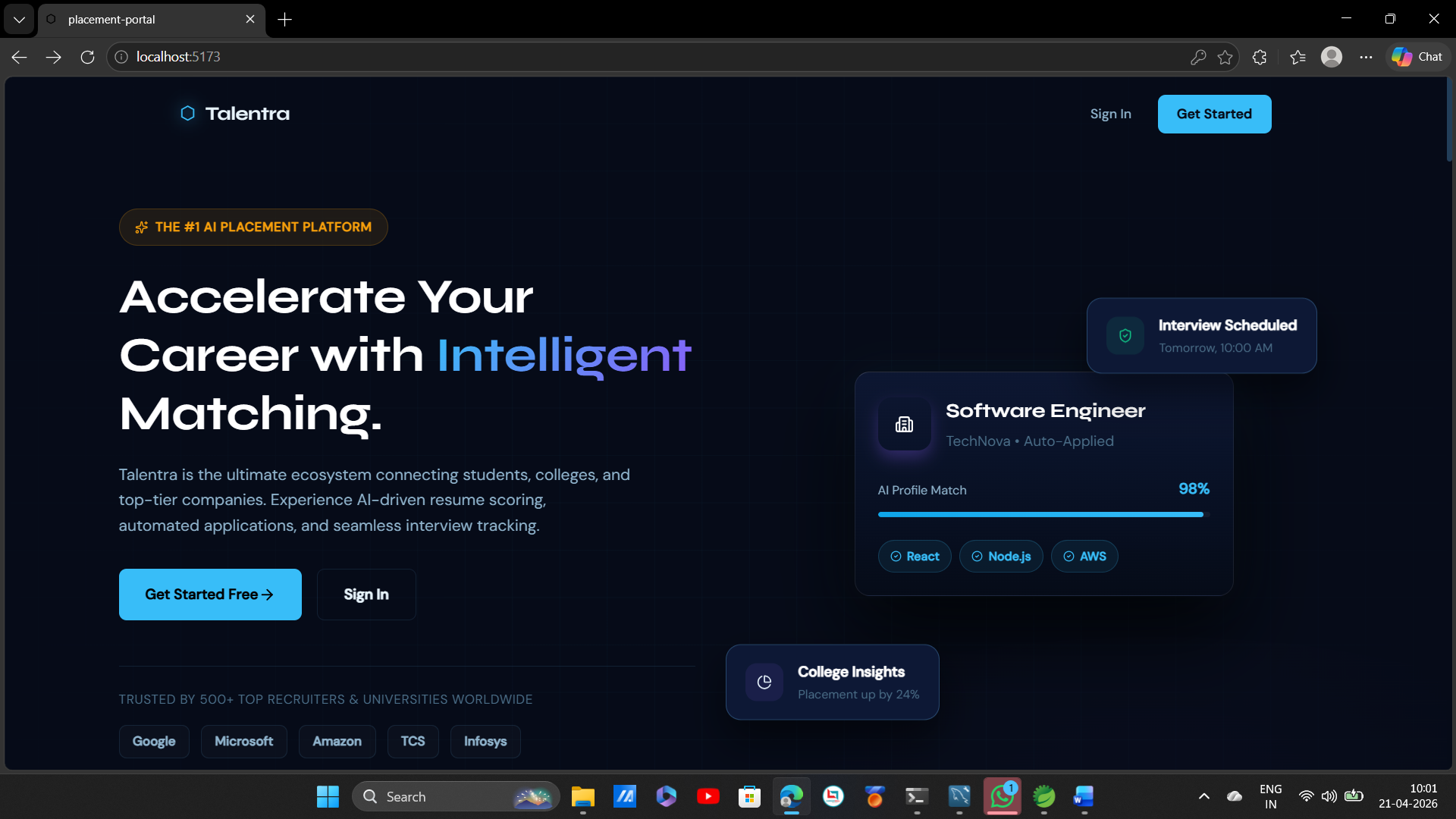
Technologies & Skills
Tags
One-time purchase
Talentra — What You Get for ₹8,500 ✅ Complete Source Code Full Backend source code — Java Spring Boot 3 Full Frontend source code — React.js Clean, modular, and well-structured code Easy to understand and customize ✅ Database Complete MySQL database schema All tables, relationships, and sample data included Ready to import and run instantly ✅ AI Integration Fully working OpenAI GPT-3.5-turbo integration AI resume scoring and feedback feature ready to use Just plug in your own API key and go ✅ Three Role-Based Dashboards Student Portal — Apply, track, download offer letter Company Portal — Post drives, manage applicants Admin Portal — Approve companies, send alerts, view analytics ✅ All Core Features Working Smart keyword-based notification system Auto PDF offer letter generation Real-time placement analytics dashboard JWT secured authentication for all roles ✅ Complete Documentation System Requirements Installation Guide Usage Instructions Future Enhancements Known Issues ✅ Tech Stack Included Java Spring Boot 3 React.js MySQL + Hibernate OpenAI GPT-3.5-turbo Spring Security + JWT Apache PDFBox ✅ Free Support 7 days free support after purchase Help with installation and setup issues Contact via platform you purchased from What You Do NOT Get ❌ Hosting or deployment service ❌ OpenAI API key — buy your own from platform.openai.com ❌ Future updates for free ❌ Custom feature development ₹8,500 — One Time Payment No monthly fees No hidden charges Full ownership of source code Use it, modify it, deploy it — it's yours
What's Included
Support & Customization
Resource Links
Purchase this project to unlock source and premium resources. Document/report remain secure preview-based on this page.
Talentra — Smart Campus Placement Platform
The smartest way to manage campus recruitments — fully automated, AI-powered, and ready to deploy.
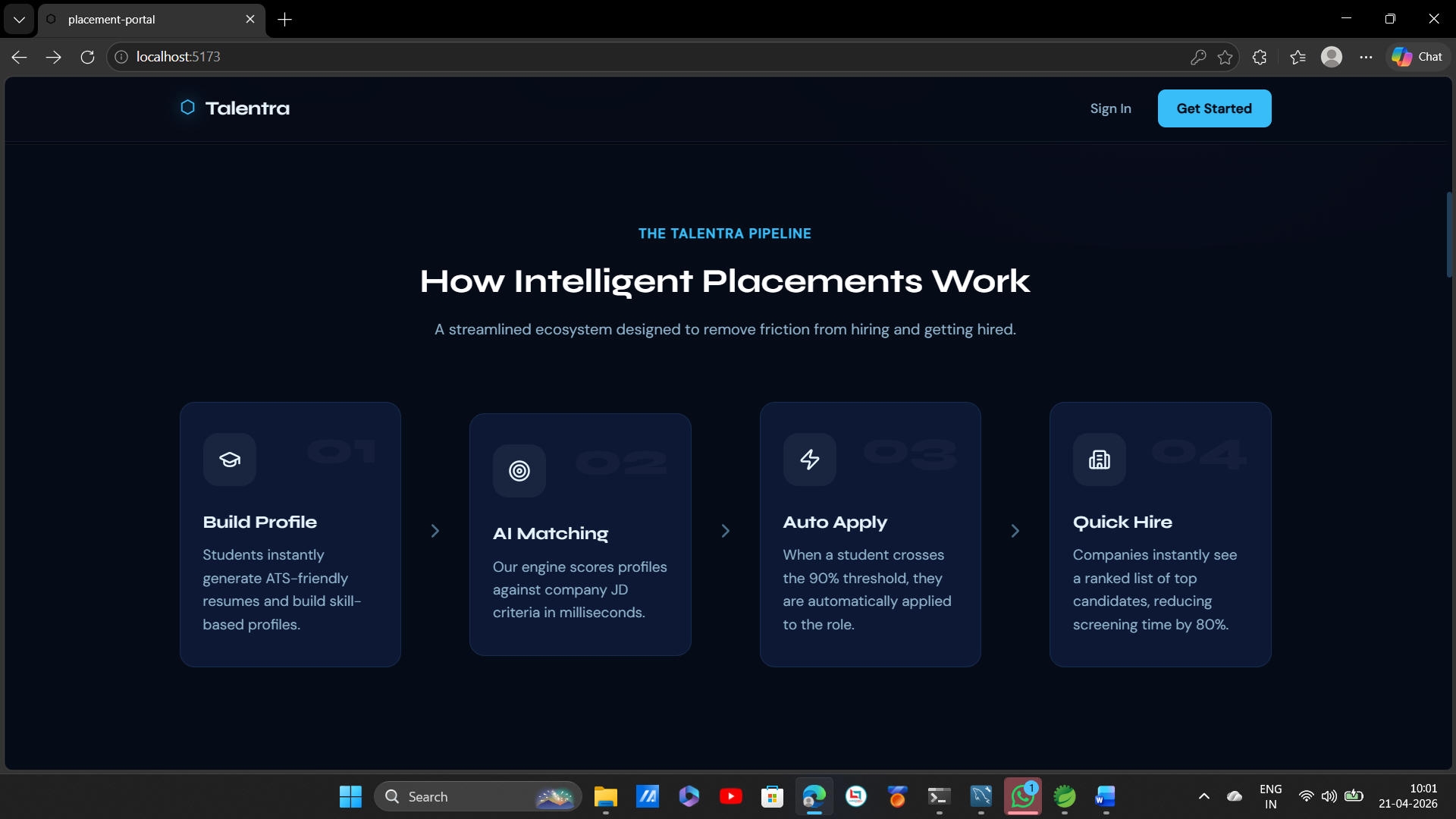
Talentra is a complete campus placement management system that eliminates manual processes and replaces them with intelligent automation. From job postings to offer letter generation, every step of the recruitment lifecycle is handled in one unified platform — built for colleges, companies, and students.
The Problem It Solves
Campus placements today run on spreadsheets, WhatsApp messages, and endless back-and-forth emails. This leads to missed opportunities, zero data visibility, and a frustrating experience for everyone involved. Talentra fixes all of that.
Key Features
🤖 AI-Powered Resume Scoring
- Automatically evaluates student resumes against job requirements using OpenAI GPT-3.5-turbo
- Gives students instant, intelligent feedback to improve their chances
- Saves companies hours of manual screening
🔔 Smart Notification System
- Keyword-based broadcast alerts that target only eligible students
- No spam — only the right students get notified for the right jobs
- Admins control targeting criteria from a simple dashboard
📄 Automatic Offer Letter Generation
- Selected candidates instantly receive a professionally formatted PDF offer letter
- Powered by Apache PDFBox — zero manual effort from admin side
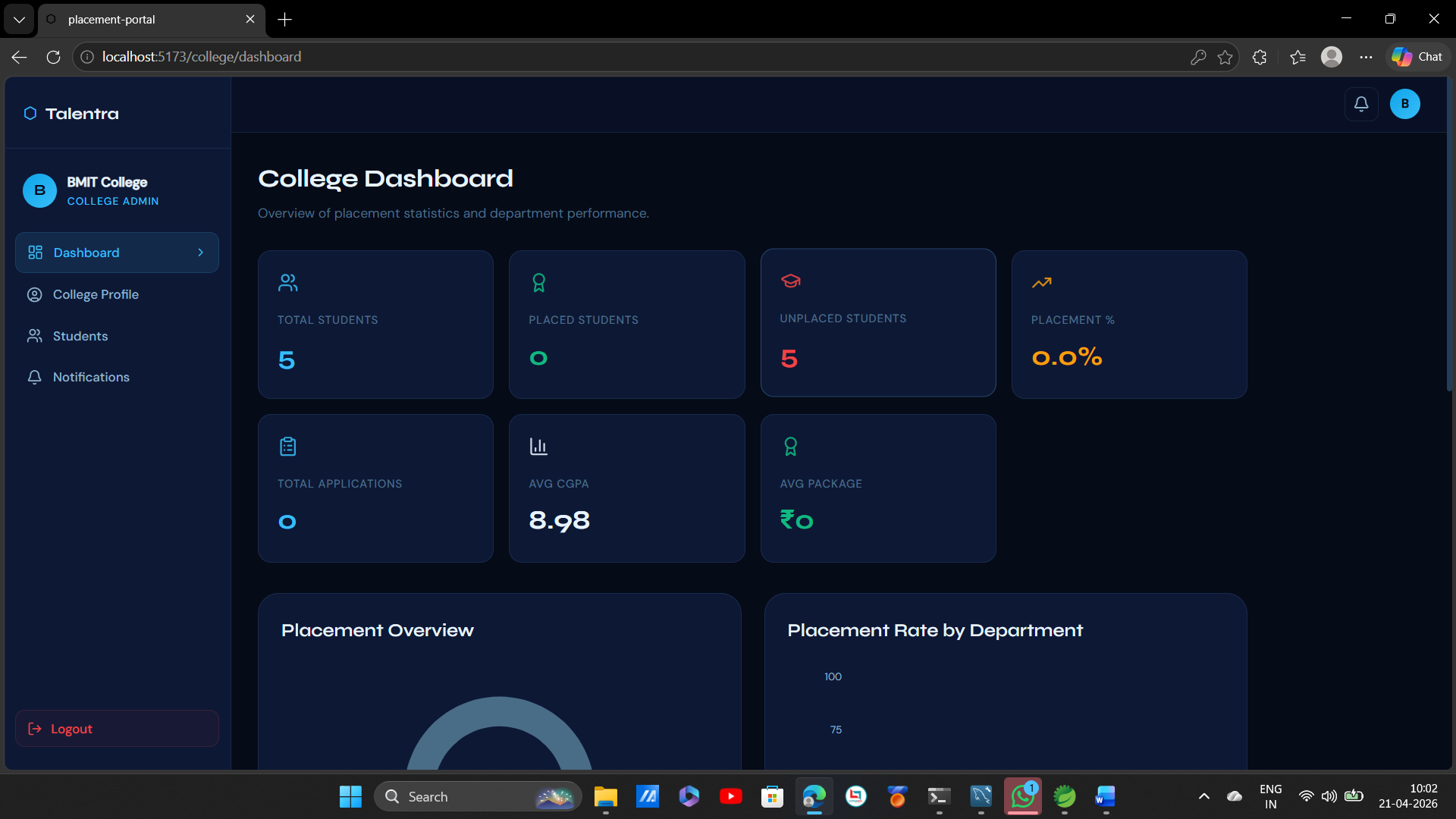
📊 Real-Time Placement Analytics
- Live dashboard showing applications, shortlists, selections, and placement rates
- Gives college admins full data visibility at all times
🔐 Secure Role-Based Access
- Three separate portals — Student, Company, and Admin
- Secured with Spring Security + JWT authentication
- Each user sees only what they need, nothing more
🏢 End-to-End Company Portal
- Companies post job drives, filter applicants, shortlist candidates, and manage the full hiring pipeline in one place
Three-Role System
Student
- Browse active placement drives
- Apply with one click
- Get AI feedback on resume
- Track application status
- Download offer letter instantly
Company
- Post job openings and requirements
- View and filter student applications
- Shortlist and select candidates
- Manage entire hiring pipeline
College Admin
- Approve and manage registered companies
- Send smart keyword-based broadcast alerts
- Monitor placement stats and analytics
- Full control over student and company data
Tech Stack
LayerTechnologyBackendJava Spring Boot 3FrontendReact.jsDatabaseMySQL + Spring Data JPA + HibernateAI IntegrationOpenAI GPT-3.5-turboAuthenticationSpring Security + JWTPDF GenerationApache PDFBox
Why Choose Talentra?
- ✅ Production-ready — deploy in days, not months
- ✅ Real AI integration — not just rule-based automation
- ✅ Scalable — handles 100 to 10,000+ students effortlessly
- ✅ Clean modular code — easy to customize and extend
- ✅ Secure by default — JWT authentication built in from day one
- ✅ Full source code included — you own it completely
Future Enhancements
Talentra — Future Enhancements
1. AI & Machine Learning
1.1 AI Job Recommendation Engine
- Automatically suggest the most relevant job drives to students based on their skills, CGPA, and past applications
- Machine learning model that improves recommendations over time
1.2 AI Interview Preparation
- AI-powered mock interview system with questions based on job role
- Real-time feedback on answers
- Confidence scoring and improvement tips
1.3 Smart Candidate Ranking
- Automatically rank applicants for companies based on resume score, CGPA, skills, and profile completeness
- Save companies hours of manual screening
1.4 Resume Builder with AI
- In-platform resume builder
- AI suggests content, keywords, and formatting based on target job role
- Export as PDF directly from platform
1.5 Predictive Placement Analytics
- Predict which students are most likely to get placed based on historical data
- Help admins identify students who need extra support early
2. Communication & Notifications
2.1 Email Notifications
- Send automated emails for application updates, shortlisting, and selections
- Welcome emails for new registrations
- Reminder emails for upcoming drive deadlines
2.2 SMS Notifications
- Send SMS alerts for critical updates like selections and interview schedules
- Integration with Twilio or similar SMS gateway
2.3 WhatsApp Notifications
- Send placement alerts directly to students via WhatsApp
- Integration with WhatsApp Business API
2.4 In-App Chat System
- Real-time chat between students and company recruiters
- Group chat for placement coordinators and companies
- Chat history and file sharing support
3. Interview Management
3.1 Interview Scheduling System
- Companies can schedule interviews directly from the platform
- Students receive automated schedule notifications
- Calendar integration with Google Calendar and Outlook
3.2 Online Video Interview
- Built-in video interview feature — no need for Zoom or Google Meet
- Interview recording and playback for review
- AI analysis of interview performance
3.3 Aptitude Test Module
- Companies can create and assign online aptitude tests
- Auto-grading and result generation
- Anti-cheating measures like tab switch detection
4. Student Features
4.1 Student Portfolio
- Students can build a complete portfolio inside the platform
- Add projects, certifications, GitHub links, and achievements
- Shareable public profile link for recruiters
4.2 Skill Assessment
- Built-in skill tests for popular technologies — Java, Python, React, SQL
- Verified skill badges displayed on student profile
- Companies can filter students by verified skills
4.3 Internship Module
- Separate section for internship drives apart from placements
- Students can apply for internships and track status separately
4.4 Alumni Network
- Connect current students with placed alumni
- Alumni can share experience, tips, and refer juniors to their company
- Mentorship request feature
5. Company Features
5.1 Company Dashboard Analytics
- Detailed hiring analytics — how many applied, shortlisted, selected per drive
- Compare performance across multiple drives
- Export hiring reports as PDF or Excel
5.2 Multi-Round Interview Tracking
- Track candidates across multiple interview rounds — HR, Technical, Managerial
- Add round-wise feedback and scores for each candidate
- Automatic progression to next round on selection
5.3 Bulk Resume Download
- Companies can download all applicant resumes in one click as a ZIP file
- Filter and download only shortlisted candidate resumes
5.4 Company Branding Page
- Each company gets a dedicated profile page on the platform
- Add company description, culture, photos, and past hiring stats
- Students can follow companies for updates
6. Admin Features
6.1 Advanced Analytics Dashboard
- Branch-wise, year-wise, and company-wise placement reports
- Graphical charts and visual reports
- Export full placement report as PDF or Excel for records
6.2 Bulk Student Import
- Admin can import student data via Excel or CSV file
- Auto-create student accounts from imported data
- Saves time during new academic year onboarding
6.3 Placement Policy Management
- Set eligibility rules platform-wide — minimum CGPA, backlogs allowed, etc.
- Rules auto-applied when students apply for drives
6.4 Multi-College Support
- Scale Talentra to support multiple college campuses from one admin panel
- Each college gets its own isolated data and dashboard
- Super admin role to manage all colleges
7. Mobile Application
7.1 Android App
- Full-featured Android app for students and companies
- Push notifications for real-time updates
- Built with React Native for code reuse
7.2 iOS App
- Full-featured iOS app with same features as Android
- Available on Apple App Store
7.3 Admin Mobile Dashboard
- Mobile-friendly admin panel for quick approvals and monitoring on the go
8. Integration & Security
8.1 LinkedIn Integration
- Students can import their LinkedIn profile directly
- Auto-fill resume data from LinkedIn
- Share placement success on LinkedIn with one click
8.2 GitHub Integration
- Students can link GitHub profile to showcase projects
- Recruiters can directly view student project repositories
8.3 Google Login / SSO
- Login with Google account — no password needed
- Single Sign-On support for college email accounts
8.4 Two-Factor Authentication (2FA)
- Extra security layer for all user accounts
- OTP via email or SMS on every login
8.5 Data Encryption
- End-to-end encryption for all sensitive student and company data
- GDPR compliance for data privacy
9. Payment & Monetization
9.1 Subscription Plans for Companies
- Free plan — limited drives per month
- Pro plan — unlimited drives, advanced analytics, priority support
- Payment integration via Razorpay or Stripe
9.2 Premium Student Features
- Free plan — basic features
- Premium plan — AI resume builder, mock interviews, skill assessments
- Affordable monthly or yearly subscription
10. Performance & Scalability
10.1 Cloud Deployment
- Full deployment on AWS or Azure for high availability
- Auto-scaling based on traffic load
10.2 Microservices Architecture
- Break the monolithic backend into microservices
- Each feature — notifications, AI, analytics — runs as an independent service
- Easier to scale and maintain
10.3 Redis Caching
- Add Redis caching for faster dashboard load times
- Cache frequently accessed data like drive listings and student profiles
10.4 Docker & Kubernetes Support
- Containerize the entire application with Docker
- Kubernetes for orchestration and zero-downtime deployments
Known Issues
Talentra — Known Issues
1. AI & Resume
- AI scoring stops if OpenAI API key expires or has no credits
- Only simple text-based PDFs supported — scanned or image resumes not supported
2. Authentication
- No forgot password / reset password feature
- No two-factor authentication (2FA)
- JWT token expires without warning — sudden logout
3. Notifications
- In-app notifications only — no email or SMS alerts
- No real-time push notifications — user must refresh manually
4. File Handling
- Resume upload supports PDF only — no DOC or DOCX
- No file size validation
- Files stored locally — may be lost if server restarts
5. UI & Experience
- Not mobile responsive — desktop only
- No dark mode
- No loading indicators on some pages
- Limited search and filter options
6. Admin
- No bulk approve/reject for companies
- No export to PDF or Excel
- No activity or audit logs
7. Company
- Single round selection only — no multi-round interview tracking
- No bulk resume download
8. Performance
- No caching — can slow down with large data
- No pagination on some pages
- Not tested for high traffic (1000+ users)
9. Deployment
- No Docker support
- No
.envfile — config changes require editing source files
Installation
Talentra — Installation Guide
Prerequisites
Make sure you have the following installed before starting:
- Java JDK 17 or higher
- Node.js 18 or higher
- MySQL 8.0 or higher
- Maven 3.8 or higher
Step 1 — Extract the Zip File
- Right click on
talentra.zip - Click Extract Here or Extract to talentra/
- Open the extracted folder — you will see two folders inside:
talentra/
├── backend/
└── frontend/
Step 2 — Database Setup
1. Open MySQL and create the database:
sql
CREATE DATABASE talentra_db;
2. Navigate to:
backend/src/main/resources/application.properties
3. Update these lines with your MySQL credentials:
properties
spring.datasource.url=jdbc:mysql://localhost:3306/talentra_db
spring.datasource.username=your_mysql_username
spring.datasource.password=your_mysql_password
spring.jpa.hibernate.ddl-auto=update
Step 3 — Add Your OpenAI API Key
In the same application.properties file, find and update:
properties
openai.api.key=your_openai_api_key_here
Get your API key from platform.openai.com
Step 4 — Run the Backend
Open a terminal inside the backend/ folder and run:
bash
mvn clean install
mvn spring-boot:run
Backend will start at http://localhost:8080
Step 5 — Run the Frontend
Open a new terminal inside the frontend/ folder and run:
bash
npm install
npm start
Frontend will start at http://localhost:3000
Step 6 — Open in Browser
Once both are running, open your browser and go to:
http://localhost:3000
Step 7 — Default Login Credentials
RoleEmailPasswordAdminadmin@talentra.comadmin123Companycompany@talentra.comcompany123Studentstudent@talentra.comstudent123
⚠️ Change all passwords immediately after first login.
Step 8 — Verify Everything Works
- ✅ Backend running at
http://localhost:8080 - ✅ Frontend running at
http://localhost:3000 - ✅ MySQL connected successfully
- ✅ All three role logins working
- ✅ AI resume scoring working
Common Errors & Fixes
❌ Backend not starting
- Make sure JDK 17 is installed — check with
java -version - Make sure Maven is installed — check with
mvn -version
❌ MySQL connection refused
- Make sure MySQL service is running
- Double check username and password in
application.properties
❌ npm install fails
bash
npm cache clean --force
npm install
❌ Port 8080 already in use
bash
# Windows
netstat -ano | findstr :8080
taskkill /PID <PID> /F

# Mac/Linux
lsof -i :8080
kill -9 <PID>
❌ OpenAI not responding
- Check your API key is correct in
application.properties - Make sure you have credits on your OpenAI account
Need Help?
If you face any issue, contact via the platform you purchased from and share:
- The exact error message
- Which step you are stuck on
Usage
Talentra — Usage Instructions
Getting Started
Once the app is running at http://localhost:3000, you will land on the Login Page. Use your role credentials to log in. Each role has a completely separate dashboard and set of features.
👨🎓 Student — How to Use
1. Register / Login
- Click Register on the login page
- Fill in your details — name, email, password, branch, year
- Login with your credentials
2. Browse Placement Drives
- Go to Drives section from the sidebar
- View all active job openings posted by companies
- Check eligibility criteria, CTC, role, and deadline
3. Apply for a Drive
- Click on any drive to open its details
- Click Apply Now
- Your application is submitted instantly
4. AI Resume Scoring
- Go to Resume section
- Upload your resume (PDF)
- AI will analyze it against job requirements and give you a score with feedback
- Use the feedback to improve your resume
5. Track Application Status
- Go to My Applications
- See real-time status — Applied, Shortlisted, Selected, or Rejected
6. Download Offer Letter
- Once selected, go to My Applications
- Click Download Offer Letter
- A professionally formatted PDF will download instantly
7. Notifications
- Check the Notifications bell icon
- You will only receive alerts relevant to your profile and eligibility
🏢 Company — How to Use
1. Register / Login
- Click Register as Company on the login page
- Fill in company name, email, password, and details
- Wait for Admin approval before you can post drives
2. Post a Placement Drive
- Go to Post Drive from the sidebar
- Fill in job title, description, eligibility criteria, CTC, location, and deadline
- Click Submit — students will be notified automatically
3. View Applications
- Go to Applications section
- See all students who applied for your drives
- View their profile, resume, and AI score
4. Shortlist Candidates
- Click on any applicant
- Click Shortlist to move them to the next round
- Student gets notified automatically
5. Select / Reject Candidates
- After interviews, go to Shortlisted tab
- Click Select or Reject for each candidate
- Selected students automatically receive their offer letter PDF
6. Manage Your Drives
- Go to My Drives
- View, edit, or close any of your active drives anytime
🛡️ Admin — How to Use
1. Login
- Use admin credentials to log in
- You will land directly on the Admin Dashboard
2. Dashboard Overview
- See real-time stats — total students, companies, active drives, placements
- Quick summary of recent activity
3. Approve Companies
- Go to Companies section
- See all newly registered companies with status Pending
- Click Approve to activate them or Reject to decline
- Company receives a notification after approval
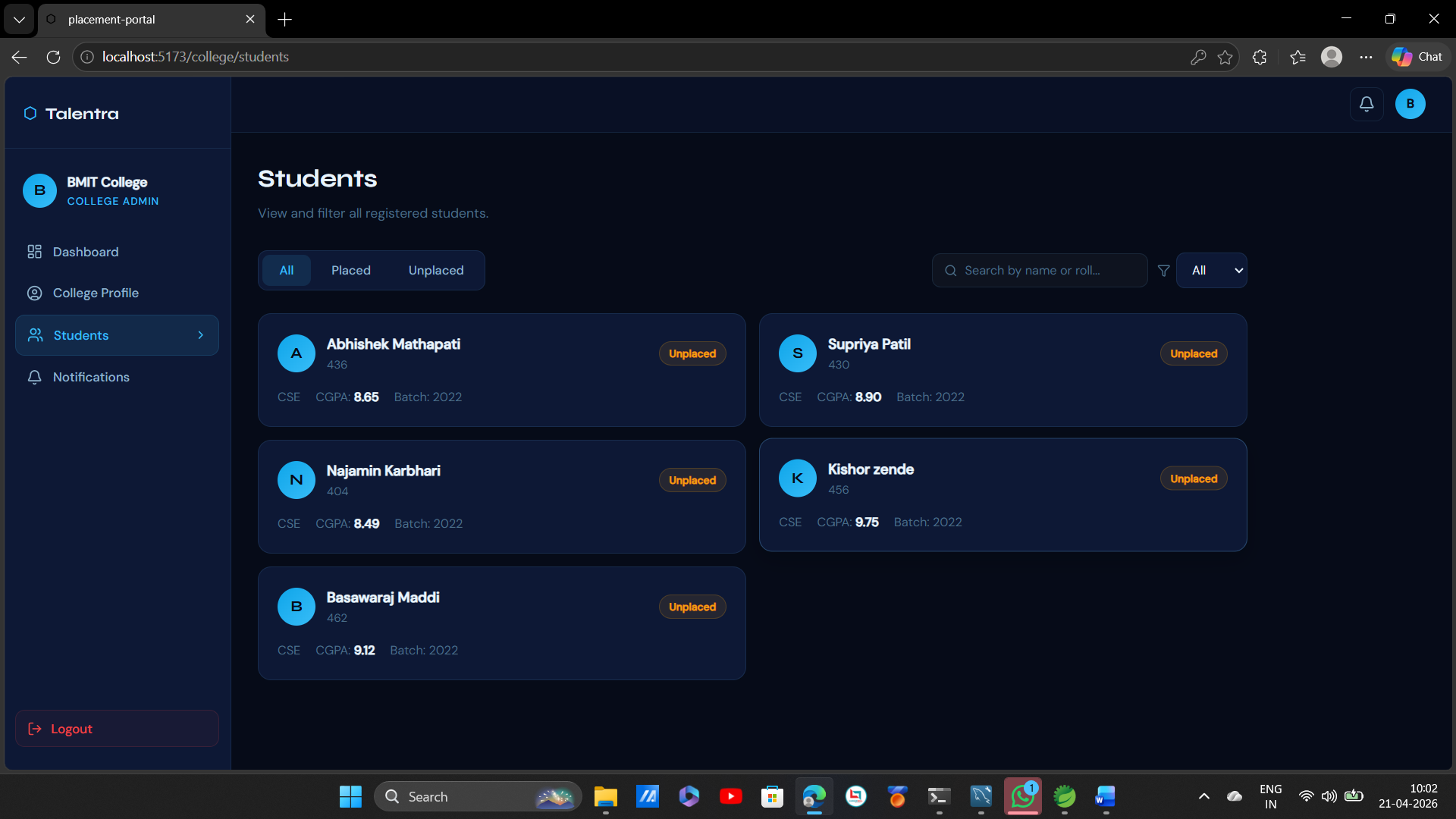
4. Manage Students
- Go to Students section
- View all registered students with their details
- Search and filter by branch, year, or placement status
5. Send Smart Notifications
- Go to Notifications section
- Write your message
- Add keywords to target specific students — example:
CSE,2025,CGPA > 7 - Click Send — only matching students receive the alert
6. Monitor Placements
- Go to Analytics section
- View placement rate, top hiring companies, branch-wise stats
- Export reports as needed
7. Manage Drives
- View all active and closed drives across all companies
- Step in to close or remove any drive if needed
💡 Tips for Best Experience
- Always use Google Chrome or Microsoft Edge for best compatibility
- Make sure both backend and frontend are running before using the app
- Students should upload resumes in PDF format only
- Admin should approve companies before they can post any drives
- Keep your OpenAI API key active and funded for AI features to work
System Requirements
Talentra — System Requirements
Minimum System Requirements
ComponentMinimumOSWindows 10 / macOS 11 / Ubuntu 20.04RAM4 GBStorage2 GB free spaceProcessorIntel Core i3 or equivalentInternetRequired (for AI features)
Recommended System Requirements
ComponentRecommendedOSWindows 11 / macOS 13 / Ubuntu 22.04RAM8 GB or higherStorage5 GB free spaceProcessorIntel Core i5 / i7 or equivalentInternetStable broadband connection
Required Software
1. Java Development Kit (JDK)
- Version — JDK 17 or higher
- Download — https://www.oracle.com/java/technologies/downloads/
- Check if installed —
bash
java -version
2. Node.js
- Version — 18.x or higher
- Download — https://nodejs.org/
- Check if installed —
bash
node -v
npm -v
3. Maven
- Version — 3.8 or higher
- Download — https://maven.apache.org/download.cgi
- Check if installed —
bash
mvn -version
4. MySQL
- Version — 8.0 or higher
- Download — https://dev.mysql.com/downloads/installer/
- Check if installed —
bash
mysql --version
5. Browser
- Google Chrome 110 or higher ✅ (Recommended)
- Microsoft Edge 110 or higher ✅
- Mozilla Firefox 110 or higher ✅
- Safari 15 or higher ✅
Required Accounts & Keys
1. OpenAI API Key
- Required for AI resume scoring feature
- Create account at platform.openai.com
- Go to API Keys section and generate a key
- Make sure your account has active credits
2. MySQL Account
- Local MySQL username and password
- Required during installation setup
Port Requirements
Make sure these ports are free and not blocked by firewall:
PortUsed For8080Spring Boot Backend3000React Frontend3306MySQL Database
Internet Requirements
FeatureInternet NeededAI Resume Scoring✅ Yes (OpenAI API call)Smart Notifications❌ No (works locally)PDF Generation❌ No (works locally)Login & Dashboard❌ No (works locally)Placement Analytics❌ No (works locally)
OS Specific Notes
Windows
- Run terminal as Administrator when installing Maven and JDK
- Make sure JAVA_HOME environment variable is set correctly
bash
# Set JAVA_HOME (example)
setx JAVA_HOME "C:\Program Files\Java\jdk-17"
macOS
- Use Homebrew for easy installation
bash
brew install openjdk@17
brew install node
brew install maven
brew install mysql
Linux (Ubuntu)
bash
sudo apt update
sudo apt install openjdk-17-jdk
sudo apt install nodejs npm
sudo apt install maven
sudo apt install mysql-server
Quick Checklist Before Installation
- ☐ JDK 17+ installed
- ☐ Node.js 18+ installed
- ☐ Maven 3.8+ installed
- ☐ MySQL 8.0+ installed and running
- ☐ Port 8080, 3000, 3306 are free
- ☐ OpenAI API key ready
- ☐ Minimum 4 GB RAM available
- ☐ Minimum 2 GB free storage
Slides Open in New Tab
For better readability, slides are opened directly. Documents remain preview-only with secure backend rendering.
Showing preview pages only. Purchase for full access to all pages and complete source package.
Login for Full AccessNo Q&A available yet
Be the first to ask a question!
Ask a Question
Customer Reviews
Write Your Review
No reviews yet
Be the first to review this project!
Similar Projects
You might also be interested in these projects
 Web Apps
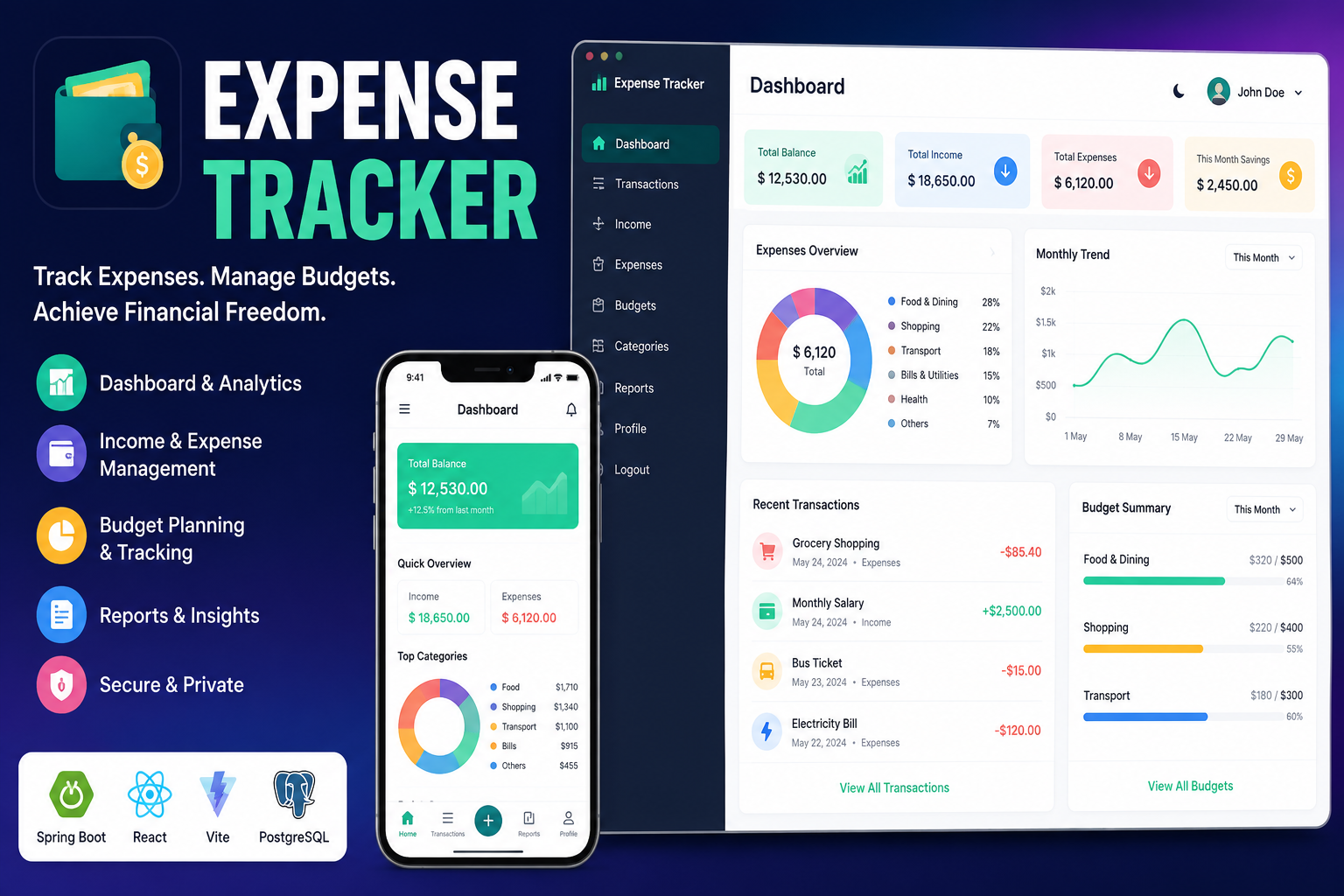
Full Stack Expense Tracker
A modern full-stack Expense Tracker built with React, Vite, Spring Boot, PostgreSQL, and JWT authentication. Track income, expenses, budgets,etc.
 Web Apps
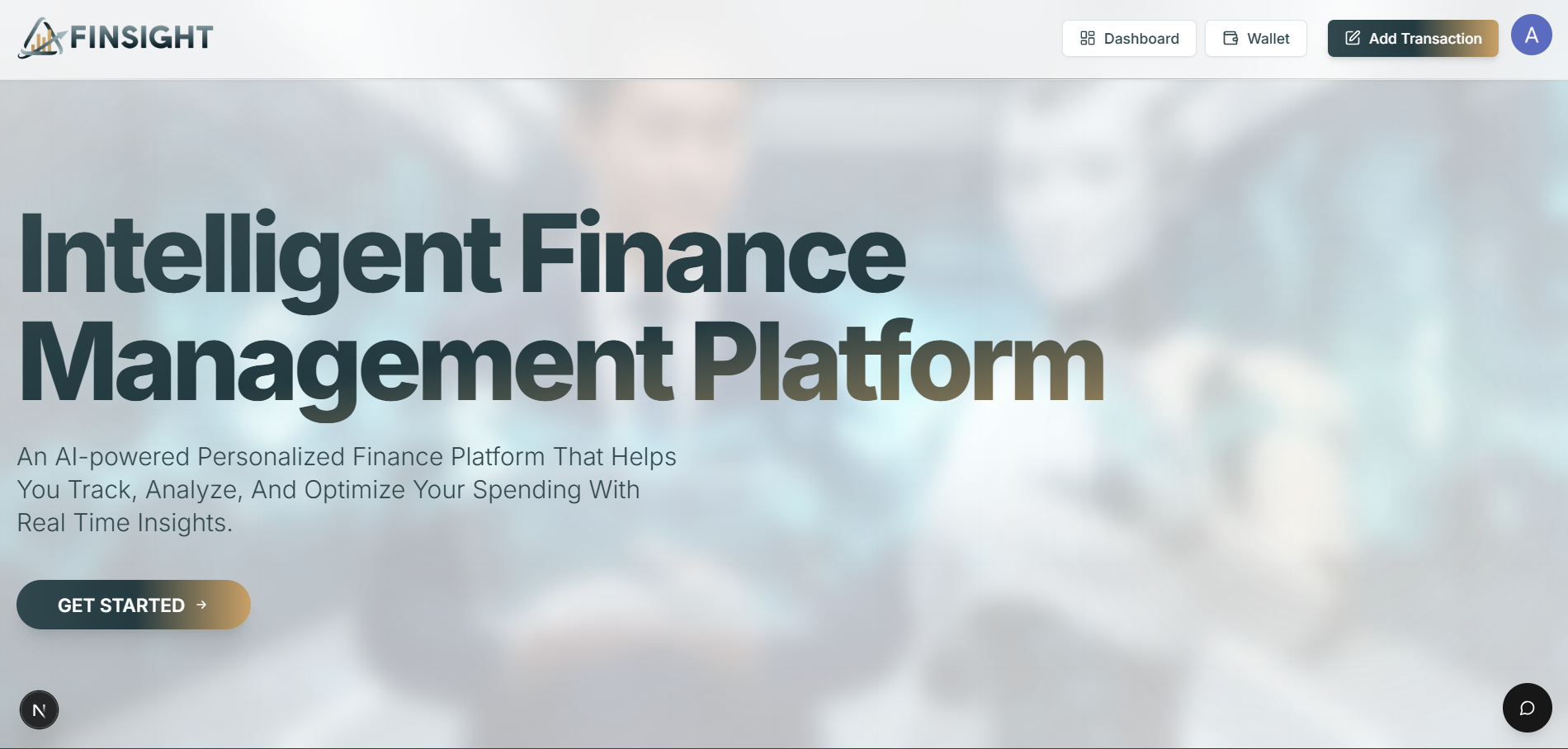
AI Finance Platform
It is a full-stack web application that helps users manage their personal finances by tracking income, expenses, and budgets in one place.The AI Finan
 Web Apps
DermaGenie– AI-Powered Skincare Intelligence Platform
AI-powered skincare platform that extracts ingredients using OCR, analyzes product suitability, and provides personalized skincare recommendations.
 Web Apps
Fantasy Forge AI
AI-powered MERN web app for crafting and sharing fantasy tales. Features include real-time generation, public exploration, visibility toggle etc .