Semantic Project Search & Recommendation Engine
A semantic search and recommendation engine that finds coding projects by meaning, not keywords.
Preview Gallery
5 media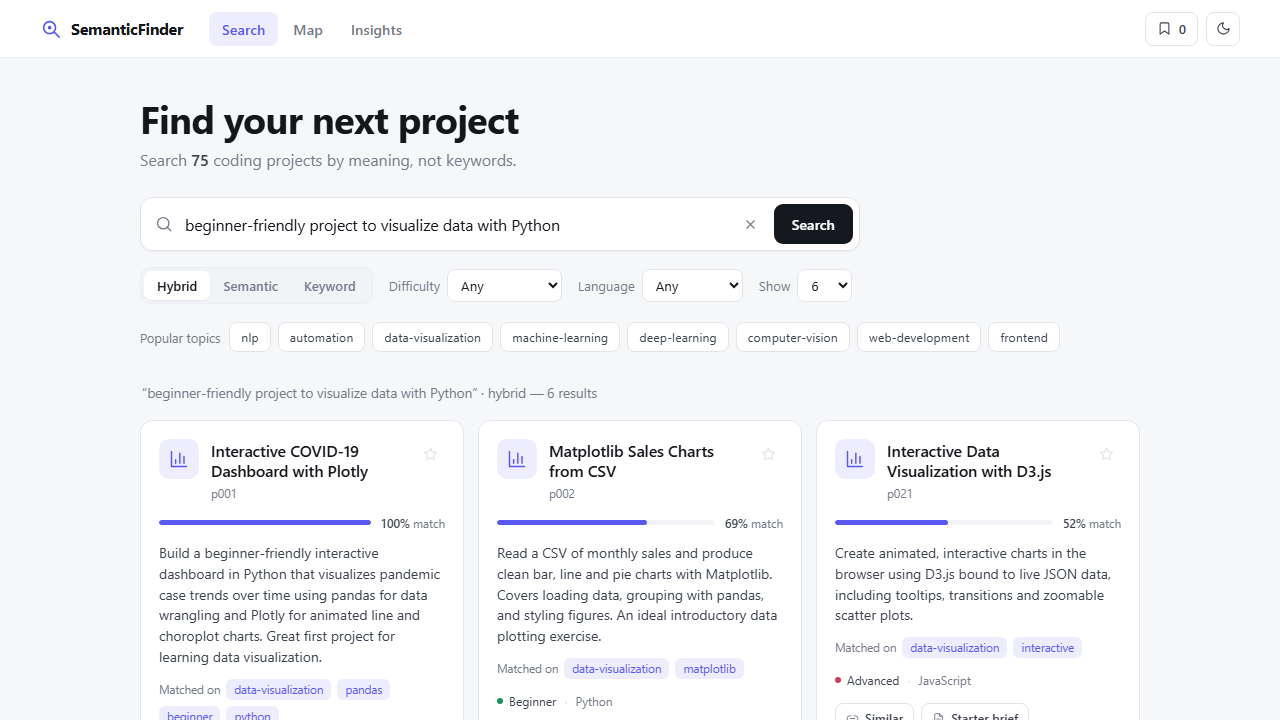
Technologies & Skills
Tags
Limited time offer
Complete, documented full-stack AI/ML project with clean, modular source code: a semantic search & recommendation engine (FastAPI + sentence-transformers) featuring hybrid search, explainable results, an interactive semantic map, an insights dashboard, and AI-generated briefs. Includes setup/usage guides, a full API reference with Swagger docs, a project report, and a passing pytest suite — and it runs out of the box with an automatic offline fallback.
What's Included
Support & Customization
Resource Links
Purchase this project to unlock source and premium resources. Document/report remain secure preview-based on this page.
Overview
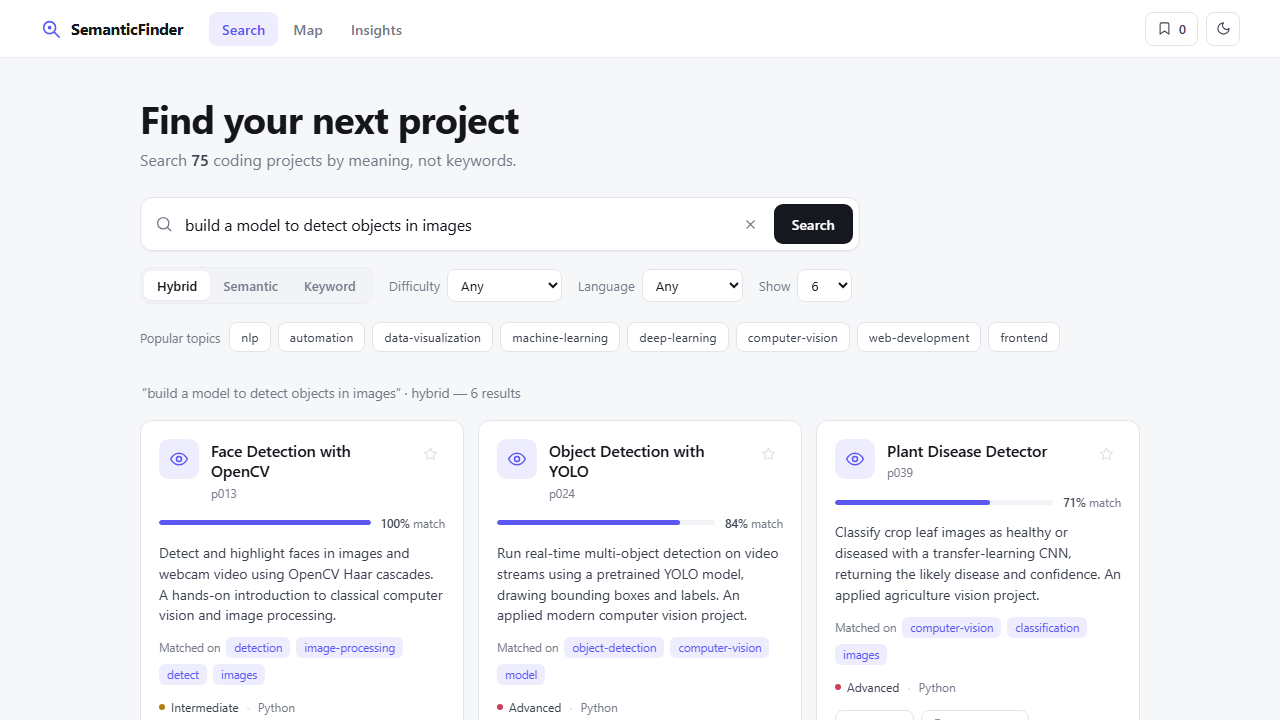
SemanticFinder is a Semantic Project Recommendation & Search Engine. Instead of matching keywords, it converts a catalogue of coding projects and the user's natural-language query into high-dimensional vector embeddings (via sentence-transformers) and ranks results by cosine similarity — so a search like "detect objects in images with deep learning" surfaces the right projects even when they share no words with the query.
How it works
On startup, every project's title, description and tags are embedded into a normalised vector and stacked into an in-memory matrix. A query is embedded the same way, and relevance is the cosine similarity between vectors. The top matches are returned with scores and short "why it matched" explanations. A hybrid mode blends this semantic score with a TF-IDF keyword score for the best of both. "More like this" reuses a project's own vector as the query for item-to-item recommendations.
Key features
- Semantic, keyword, and hybrid search with difficulty/language filters
- Match explanations and per-result relevance scores
- Item-to-item recommendations
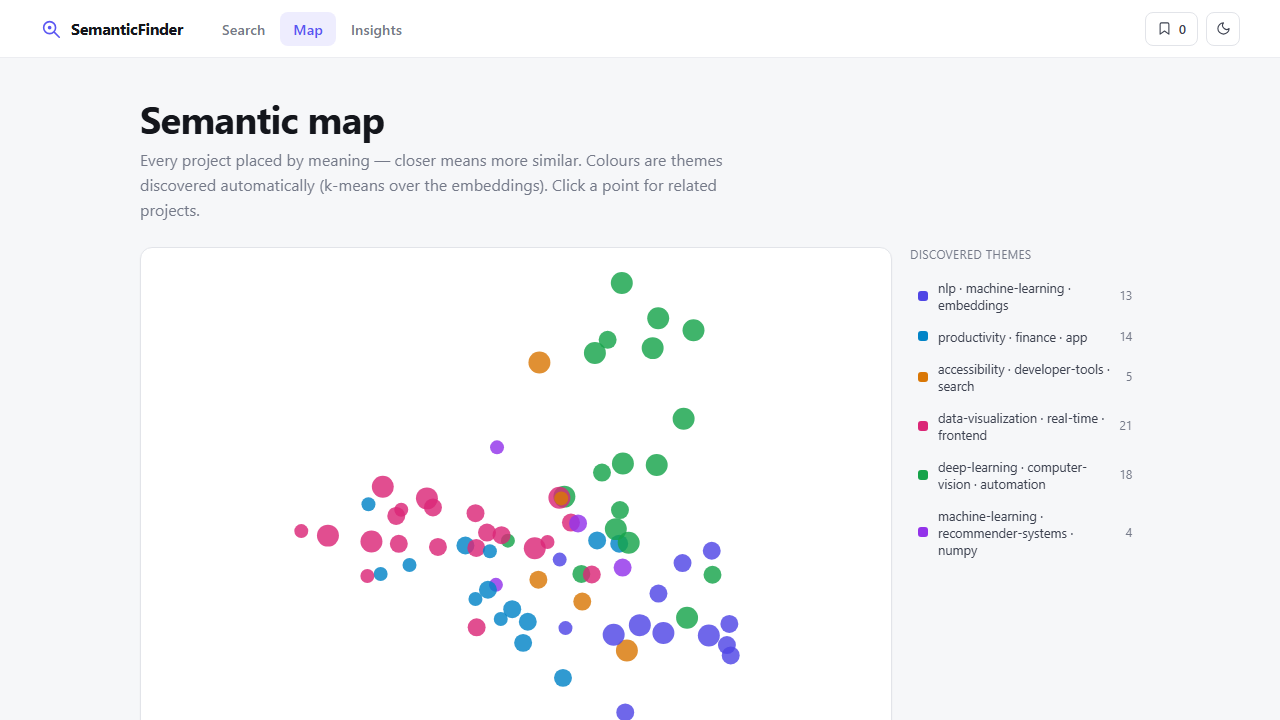
- Interactive semantic map (PCA projection + k-means theme clusters)
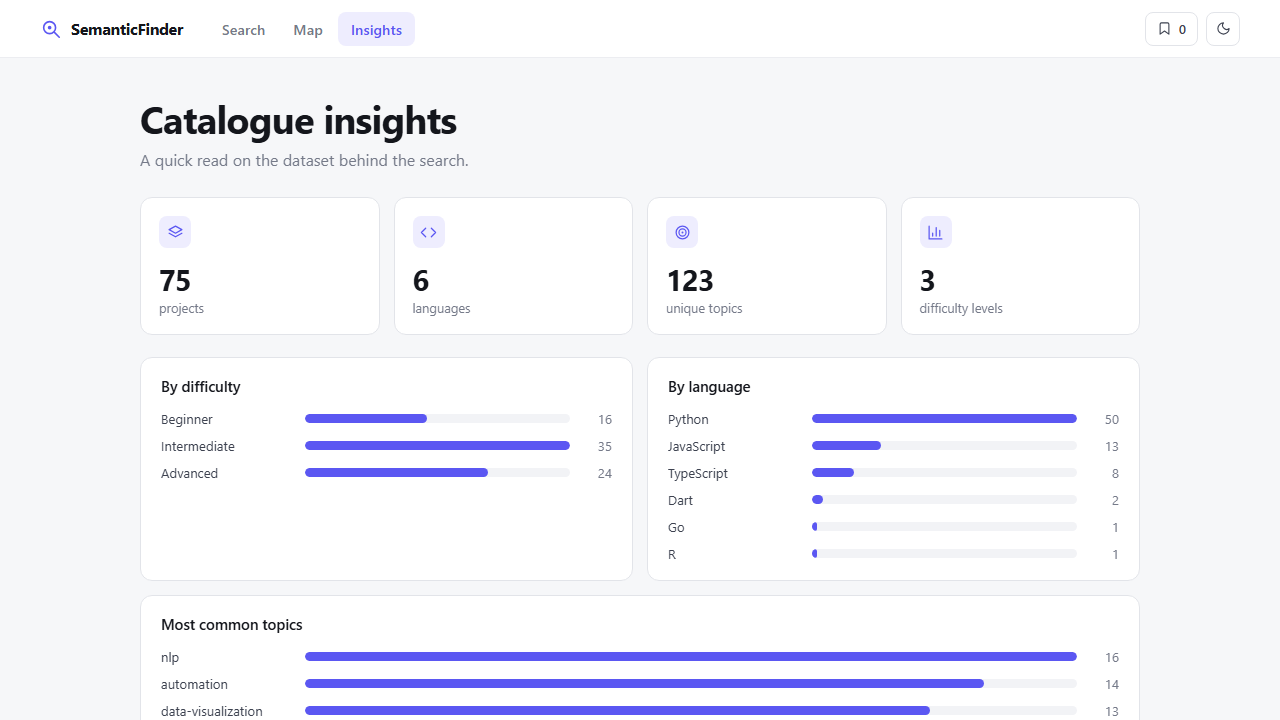
- Insights dashboard (language, difficulty, and topic breakdowns)
- AI-generated project briefs and auto-tags (Claude) with heuristic fallbacks
- Automatic fallback embedding backend so the app always runs
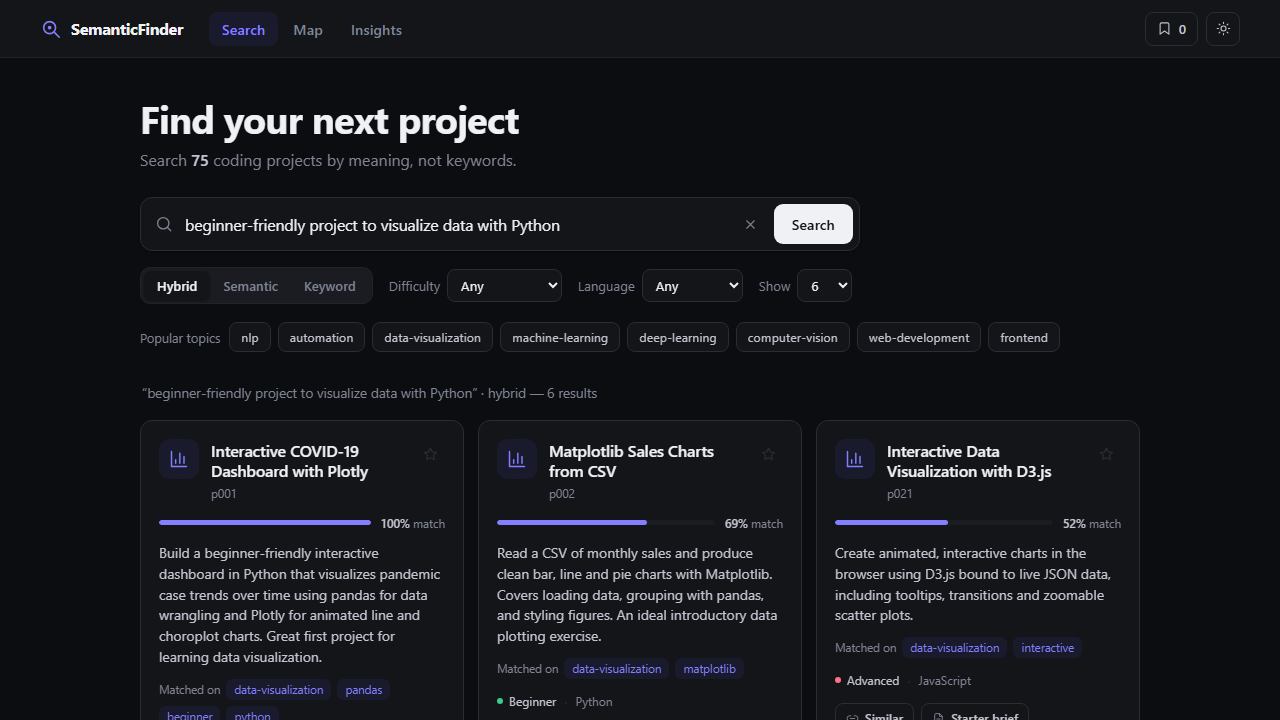
- Light/dark themes, keyboard shortcuts, and a shortlist — no framework or build step
Tech stack
Python, FastAPI, sentence-transformers, PyTorch, NumPy, scikit-learn, FAISS (optional), Anthropic Claude (optional), and a vanilla HTML/CSS/JS frontend. Covered by an automated pytest suite.
Who it's for
Learners and developers exploring smart search, recommendations, and applied NLP/embeddings — and anyone who wants a clean, well-documented reference implementation of a semantic search engine.
Future Enhancements
- Precomputed/persisted embedding cache for instant startup
- Personalised recommendations from search history and saved items
- Larger, live dataset ingested from a real projects API
- Hosted public demo with a shareable URL
- Cross-encoder re-ranking for even sharper relevance
- Server-side user accounts and saved collections
Known Issues
- The optional sentence-transformers/PyTorch stack is large; on very new Python versions or low-memory machines it may fail to install — the app then falls back to a lightweight built-in embedder (lexical rather than fully semantic matching).
- First run downloads the embedding model (~80 MB), so initial startup is slower; later runs are fast (cached).
- LLM auto-tagging/briefs need an ANTHROPIC_API_KEY; without one, a deterministic heuristic is used.
Installation
1. Ensure Python 3.9+ is installed (check: python --version).
2. In the project folder, create a virtual environment:
python -m venv .venv
3. Activate it:
- Windows (PowerShell): .venv\Scripts\Activate.ps1
- macOS/Linux: source .venv/bin/activate
4. Install core dependencies (lightweight, works everywhere):
pip install -r requirements.txt
5. (Recommended) Install the full semantic engine + extras:
pip install -r requirements-optional.txt
6. Run the app:
python run.py
7. Open http://127.0.0.1:8000 in your browser (API docs at /docs).
Note: If sentence-transformers can't install on your Python version, the app auto-falls back to a built-in embedder and still runs. No API keys required; optional LLM features activate only if you set ANTHROPIC_API_KEY in a .env file.
Usage
1. Search: type a natural-language query (e.g. "beginner-friendly Python data visualization") and press Search. Results are ranked by meaning, each with a match % and the topics it matched on.
2. Modes: switch between Hybrid (semantic + keyword), Semantic (embeddings only), or Keyword (TF-IDF). Filter by difficulty and language.
3. Recommendations: "Similar" finds related projects; "Starter brief" generates an AI build plan (stack, steps, stretch ideas); "Auto-tag" produces an AI summary and tags.
4. Map: the Map tab places every project by meaning — closer = more similar, colored by auto-discovered theme. Click a point for related projects.
5. Insights: the Insights tab shows a dashboard of the dataset (counts by language, difficulty, and top topics).
6. Extras: save projects with the star (shortlist), toggle light/dark (top-right), press "/" to focus search.
The same features are available as JSON endpoints — see /docs. Example:
curl -X POST http://127.0.0.1:8000/api/search -H "Content-Type: application/json" -d '{"query":"detect objects in images","top_k":3}'
System Requirements
- OS: Windows, macOS, or Linux
- Runtime: Python 3.9+ (tested on Python 3.14)
- RAM: 2 GB minimum; 4 GB+ recommended with sentence-transformers
- Disk: ~150 MB core; ~2–3 GB with the optional PyTorch/sentence-transformers stack
- Network: needed once to download the embedding model (~80 MB) on first run; runs offline afterward
- Browser: any modern browser (Chrome, Edge, Firefox, Brave)
- Optional: an Anthropic API key for live LLM auto-tagging/briefs (a built-in fallback works without one)
Slides Open in New Tab
For better readability, slides are opened directly. Documents remain preview-only with secure backend rendering.
Showing preview pages only. Purchase for full access to all pages and complete source package.
Login for Full AccessNo Q&A available yet
Be the first to ask a question!
Ask a Question
Customer Reviews
Write Your Review
No reviews yet
Be the first to review this project!
Similar Projects
You might also be interested in these projects
 AI & Machine Learning
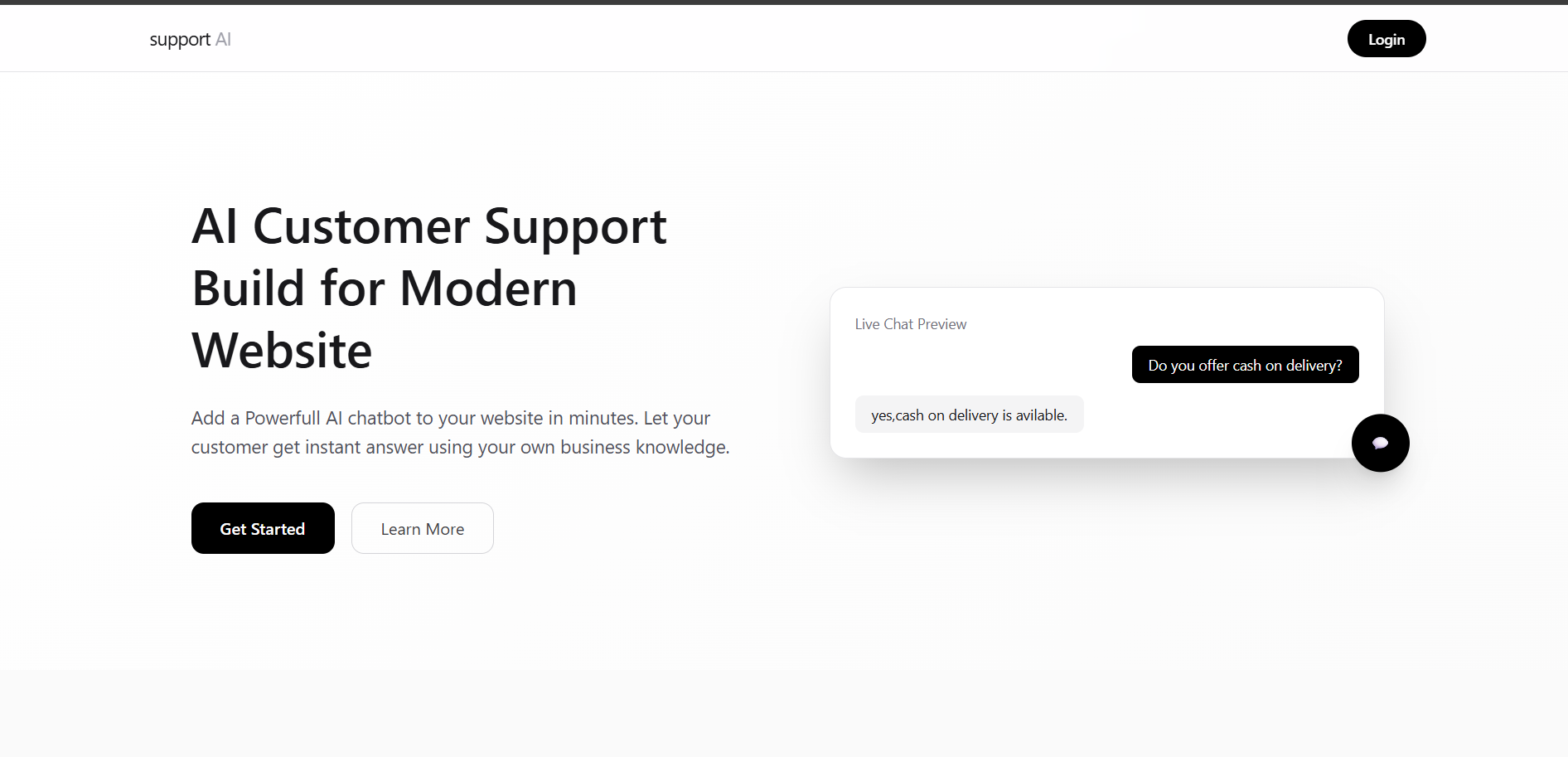
Customer Support AI
AI-powered customer support chatbot built with Next.js that provides instant, 24/7 automated responses using a customizable knowledge base.
 AI & Machine Learning
Vehicle Tracking using YOLOv8 and OpenCV
Real-time vehicle tracking using YOLOv8 and a Constant Velocity Motion Model for accurate multi-object tracking in traffic videos.
 AI & Machine Learning
Algo portal
cool app ig
 AI & Machine Learning
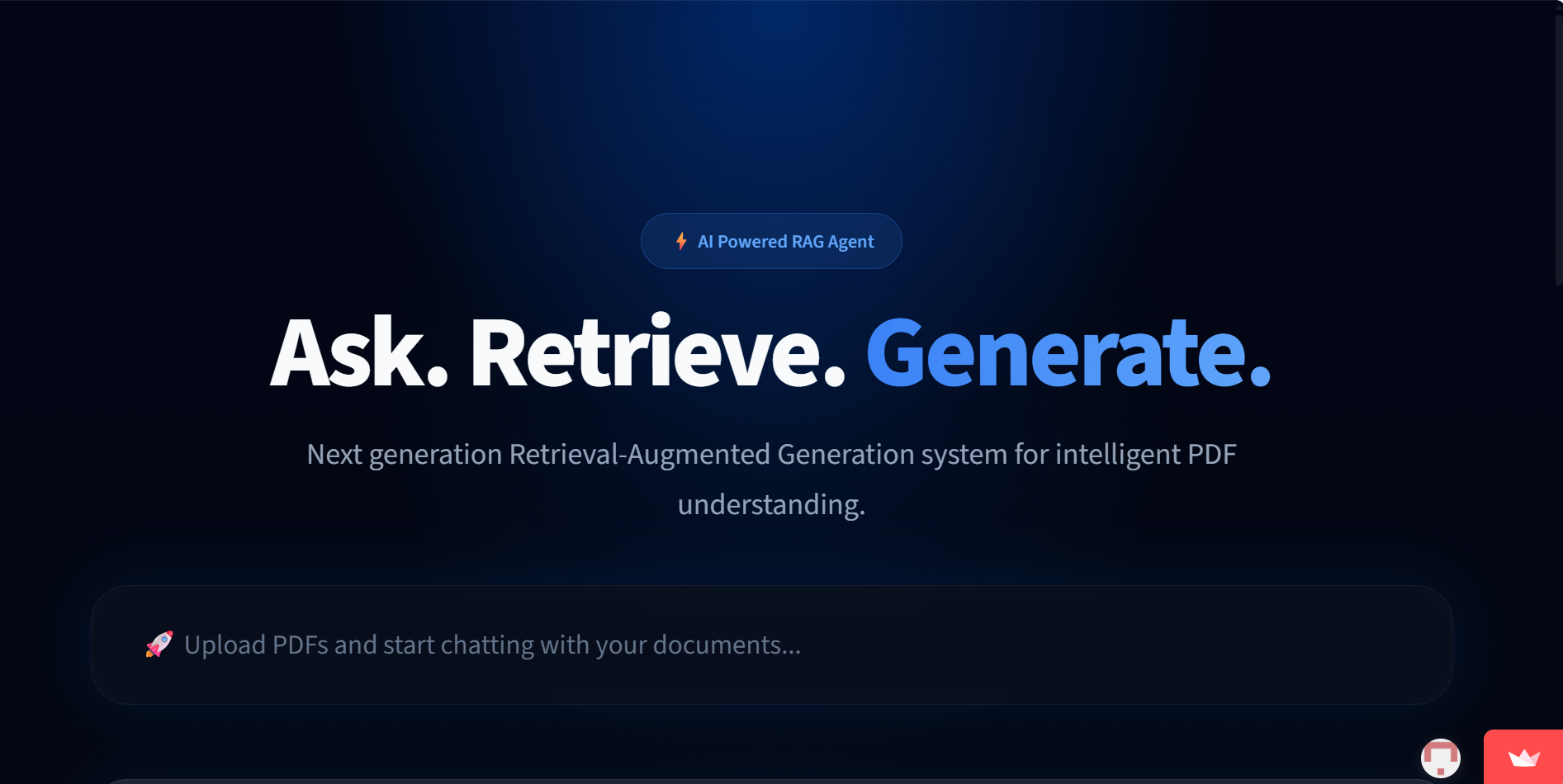
AI PDF Assistant – RAG Chatbot using LlamaIndex & Qdrant
An AI-powered RAG chatbot that answers questions from uploaded PDF documents using vector search and LLMs.