Full-Stack Food Delivery webapp
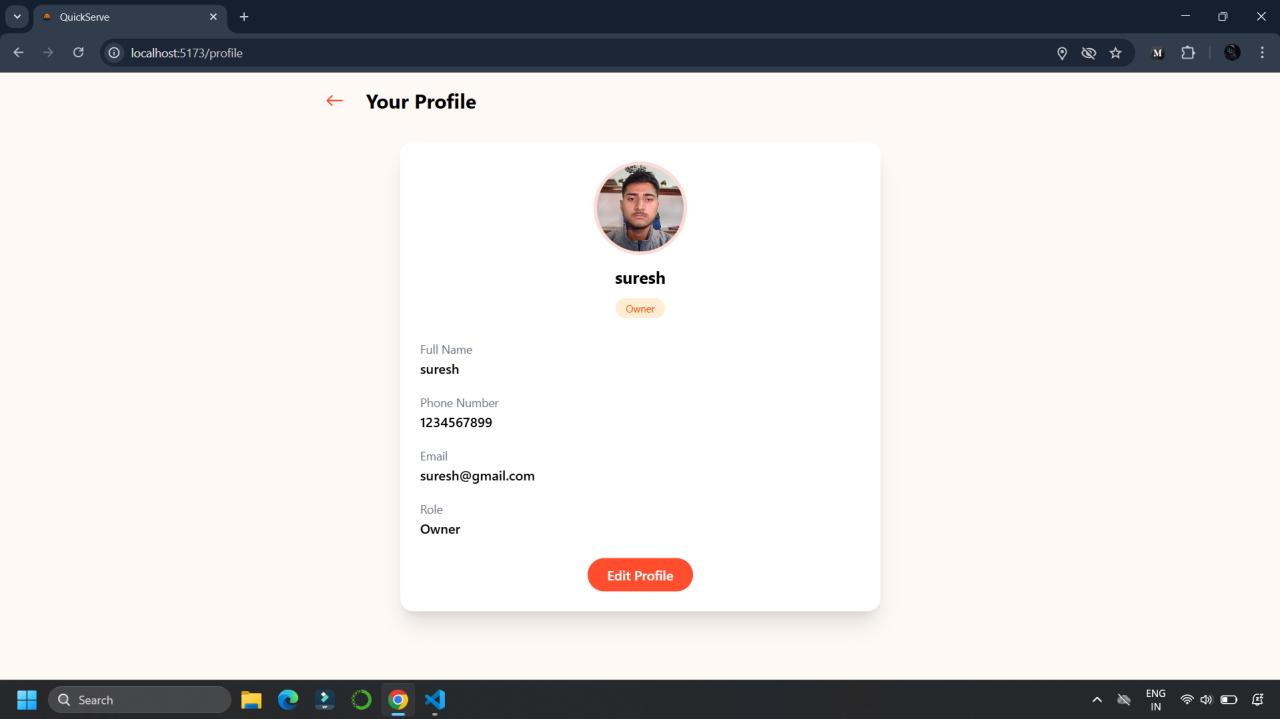
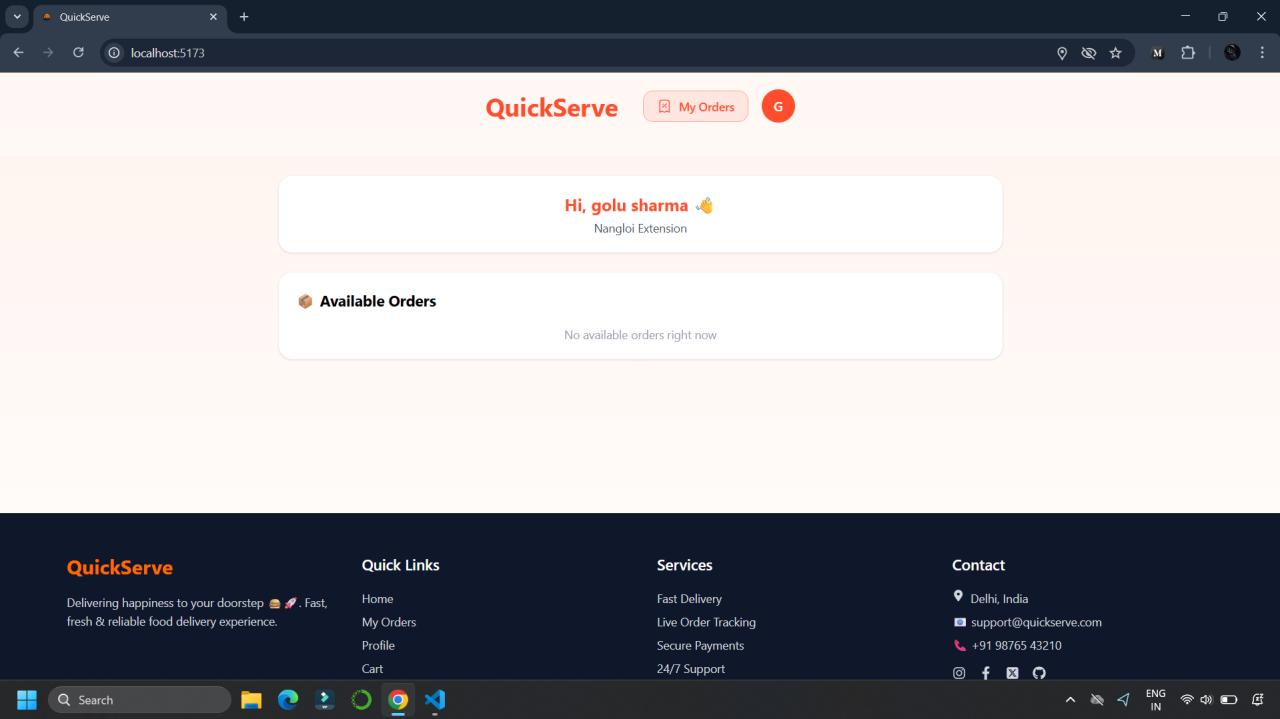
A modern full-stack delivery application where users can order items from nearby shops, shop owners can manage orders, and delivery partners can track
Preview Gallery
6 media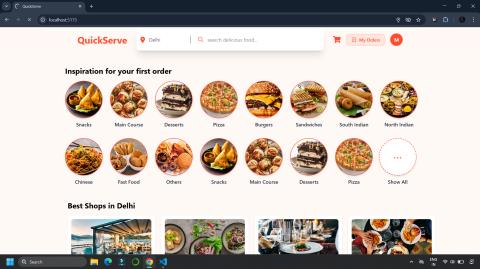
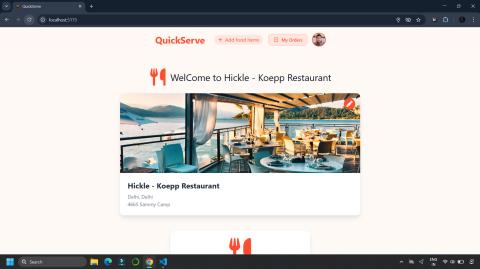
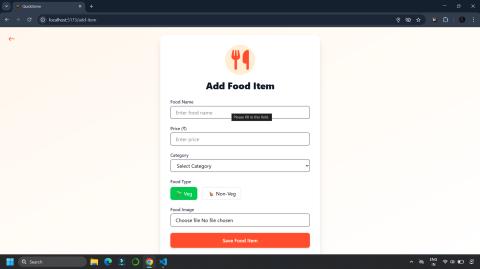
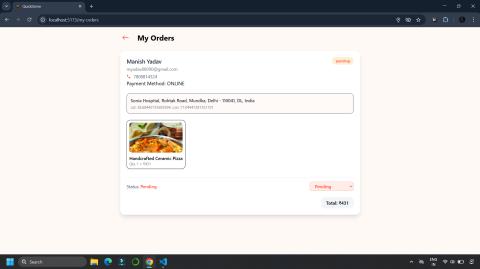
Technologies & Skills
One-time purchase
What's Included
Support & Customization
Resource Links
Purchase this project to unlock source and premium resources. Document/report remain secure preview-based on this page.
A full-stack real time delivery application that allows users to browse shops, place orders, and track deliveries seamlessly. The platform supports customers shop owners and delivery partner roles with secure authetication, live order updates using sockets and a smooth responsive UI.
User
- Browse shops and items
- Place orders easily
- Real-time order status tracking
- Secure authentication (JWT / OTP based)
- Responsive UI for smooth experience
Shop Owner
- Create and manage shop
- Add / update products
- Accept or reject orders
- Live order notifications
Delivery Partner
- Receive delivery assignments
- Live order updates using sockets
- Mark order as delivered
Real-Time Capabilities
- Instant order status updates
- Live shop profile updates without refresh
- Socket-based communication for fast delivery workflow
Future Enhancements
Known Issues
Installation
Installation & Setup
1️. Clone the repository
bash-git clone https://github.com/your-username/delivery-app.git cd delivery-app
2. Install dependencies
cd client npm install
cd ../server npm install
3. Environment Variables
Create .env file inside server folder:
PORT=5000 MONGO_URI=your_mongodb_connection JWT_SECRET=your_secret_key CLIENT_URL=http://localhost:3000
4. Run the project
Start backend
cd server npm run dev
Start frontend
cd client npm start
Usage
User Interaction with the System
QuickServe is designed around three different user roles:
- Customer
- Restaurant Owner
- Delivery Partner
Each role has a dedicated dashboard and specific functionalities.
1. Customer Module
Step 1: Registration/Login
The customer creates an account using:
- Name
- Mobile Number
- Password
After successful authentication, a JWT token is generated, allowing access to protected pages.
Expected Output
- User is logged in successfully.
- Customer dashboard opens.
- Authentication token is securely stored.
Step 2: Browse Restaurants
The customer can:
- View nearby restaurants
- Search restaurants
- Browse restaurant menus
- View food categories
Expected Output
- List of restaurants displayed.
- Food items shown with:
- Image
- Price
- Category
- Veg/Non-Veg
Step 3: Select Food Items
Customer chooses food items.
Actions include:
- Add to cart
- Increase quantity
- Remove items
- Continue shopping
Expected Output
- Selected items appear in the cart.
- Total amount is automatically calculated.
Step 4: Place Order
Customer enters:
- Delivery Address
- Payment Method
Clicks:
Place Order
Expected Output
- Order saved in MongoDB.
- Restaurant owner instantly receives notification.
- Customer sees order confirmation.
Step 5: Track Order
Customer can track:
- Pending
- Accepted
- Preparing
- Out for Delivery
- Delivered
These updates happen in real time using Socket.io.
Expected Output
The order status changes automatically without refreshing the page.
Example:
Pending

↓

Accepted

↓

Preparing

↓

Out for Delivery

↓

Delivered
2. Restaurant Owner Module
Restaurant owners manage their business through an Owner Dashboard.
Step 1: Login
Owner logs in securely.
Expected Output
Owner Dashboard opens.
Step 2: Create Restaurant
Owner enters:
- Restaurant Name
- Address
- Description
- Image
Expected Output
Restaurant becomes visible to customers.
Step 3: Add Food Items
Owner adds:
- Food Name
- Price
- Category
- Veg/Non-Veg
- Food Image
Expected Output
New food item appears instantly in the restaurant menu.
Step 4: Manage Orders
Owner receives new orders in real time.
Options include:
- Accept Order
- Reject Order
Expected Output
Customer immediately sees the updated order status.
Step 5: Update Order Status
Owner updates:
- Preparing
- Ready for Pickup
Expected Output
Delivery partner receives the new delivery request automatically.
3. Delivery Partner Module
Delivery partners complete the delivery process.
Step 1: Login
Delivery partner signs in.
Expected Output
Delivery Dashboard opens.
Step 2: Receive Delivery Assignment
Available delivery requests appear automatically.
Expected Output
New orders are displayed instantly using Socket.io.
Step 3: Accept Delivery
Delivery partner accepts the assigned order.
Expected Output
Customer can see:
Delivery Partner Assigned
Step 4: Deliver Order
After reaching the customer:
Delivery partner clicks
Delivered
Expected Output
Order status becomes:
Delivered
Customer and restaurant owner receive the update instantly.
Real-Time User Interaction
QuickServe uses Socket.io for live communication.
Example workflow:
Customer Places Order
        │
        ▼
Restaurant Receives Order
        │
Accepts Order
        │
        ▼
Customer Status Updated
        │
        ▼
Delivery Partner Gets Assignment
        │
        ▼
Partner Accepts Delivery
        │
        ▼
Customer Sees Live Tracking
        │
        ▼
Partner Marks Delivered
        │
        ▼
Order Completed
No page refresh is required.
Key Usages
Customer
- Register/Login
- Browse restaurants
- Search food
- Add items to cart
- Place orders
- Track orders in real time
- View order history
- Manage profile
Restaurant Owner
- Create restaurant
- Edit restaurant details
- Add food items
- Update menu
- Accept/Reject orders
- Update order status
- View customer orders
- Manage profile
Delivery Partner
- Login securely
- View available deliveries
- Accept delivery requests
- Update delivery status
- Mark deliveries as completed
- Manage profile
Expected Outputs
User ActionExpected OutputUser LoginSecure authentication with JWTBrowse RestaurantsRestaurant list displayedAdd FoodFood item appears in menuAdd to CartCart updates automaticallyPlace OrderOrder stored in MongoDBAccept OrderCustomer sees "Accepted" statusUpdate OrderReal-time status updatesAssign DeliveryDelivery partner receives notificationComplete DeliveryOrder marked as DeliveredLogoutUser session ends securely
Overall Workflow
Customer Login
       │
       ▼
Browse Restaurants
       │
       ▼
Select Food
       │
       ▼
Add to Cart
       │
       ▼
Place Order
       │
       ▼
Restaurant Receives Order
       │
       ▼
Owner Accepts Order
       │
       ▼
Food Preparation
       │
       ▼
Delivery Partner Assigned
       │
       ▼
Delivery Accepted
       │
       ▼
Order Delivered
       │
       ▼
Customer Receives Delivery
System Requirements
Hardware Requirements
Component Minimum Requirement Recommended
ProcessorIntel Core i3 (6th Gen) / AMD Ryzen 3Intel Core i5/i7 or AMD Ryzen 5+
RAM4 GB8 GB or higherStorage20 GB Free Disk Space50 GB SSD Free SpaceDisplay1366 × 7681920 × 1080 (Full HD)InternetBroadband ConnectionHigh-Speed Broadband
Software Requirements
ComponentVersionOperating SystemWindows 10/11, Ubuntu 20.04+, macOS Monterey or laterRuntime EnvironmentNode.js v20.x LTS (or later)Package Managernpm v10.x or Yarn v1.22+Programming LanguageJavaScript (ES6+)FrontendReact.js 18.xBackendNode.js + Express.jsDatabaseMongoDB Community Server 7.x / MongoDB AtlasDatabase ODMMongoose 8.xStyling FrameworkTailwind CSS 3.xState ManagementRedux Toolkit 2.xHTTP ClientAxios 1.xReal-Time CommunicationSocket.io 4.xAuthenticationJWT + OTP VerificationVersion ControlGit 2.40+IDEVisual Studio Code 1.90+BrowserGoogle Chrome, Microsoft Edge, Mozilla Firefox
Runtime Environment
ComponentValueRuntimeNode.jsRuntime Versionv20.x LTSJavaScript EngineGoogle V8ServerExpress.jsClient RuntimeReact.js
Memory Requirements
ResourceRequirementMinimum RAM4 GBRecommended RAM8 GBServer Memory512 MB – 2 GBBrowser MemoryApproximately 300–500 MB during execution
Storage Requirements
ResourceRequirementProject Source Code~300 MBNode Modules700 MB – 1.5 GBMongoDB DatabaseDepends on stored data (typically 100 MB+)Free Disk SpaceMinimum 20 GB
Development Tools
- Visual Studio Code
- Git & GitHub
- Postman (API Testing)
- MongoDB Compass
- MongoDB Atlas
- npm
- Chrome DevTools
Network Requirements
- Internet connection for:
- MongoDB Atlas (if cloud-hosted)
- npm package installation
- GitHub repository access
- Default Development Ports:
- Frontend (React/Vite): 5173
- Backend (Express): 5000
- MongoDB: 27017 (Local)
Browser Compatibility
- Google Chrome (Recommended)
- Microsoft Edge
- Mozilla Firefox
- Safari (macOS)
Typical Development Environment
ComponentSpecificationOperating SystemWindows 11 (64-bit)ProcessorIntel Core i5RAM8 GBStorage256 GB SSDRuntimeNode.js v20.x LTSIDEVisual Studio CodeDatabaseMongoDB AtlasBrowserGoogle Chrome
Slides Open in New Tab
For better readability, slides are opened directly. Documents remain preview-only with secure backend rendering.
Showing preview pages only. Purchase for full access to all pages and complete source package.
Login for Full AccessNo Q&A available yet
Be the first to ask a question!
Ask a Question
Customer Reviews
Write Your Review
No reviews yet
Be the first to review this project!
Similar Projects
You might also be interested in these projects
 website Development
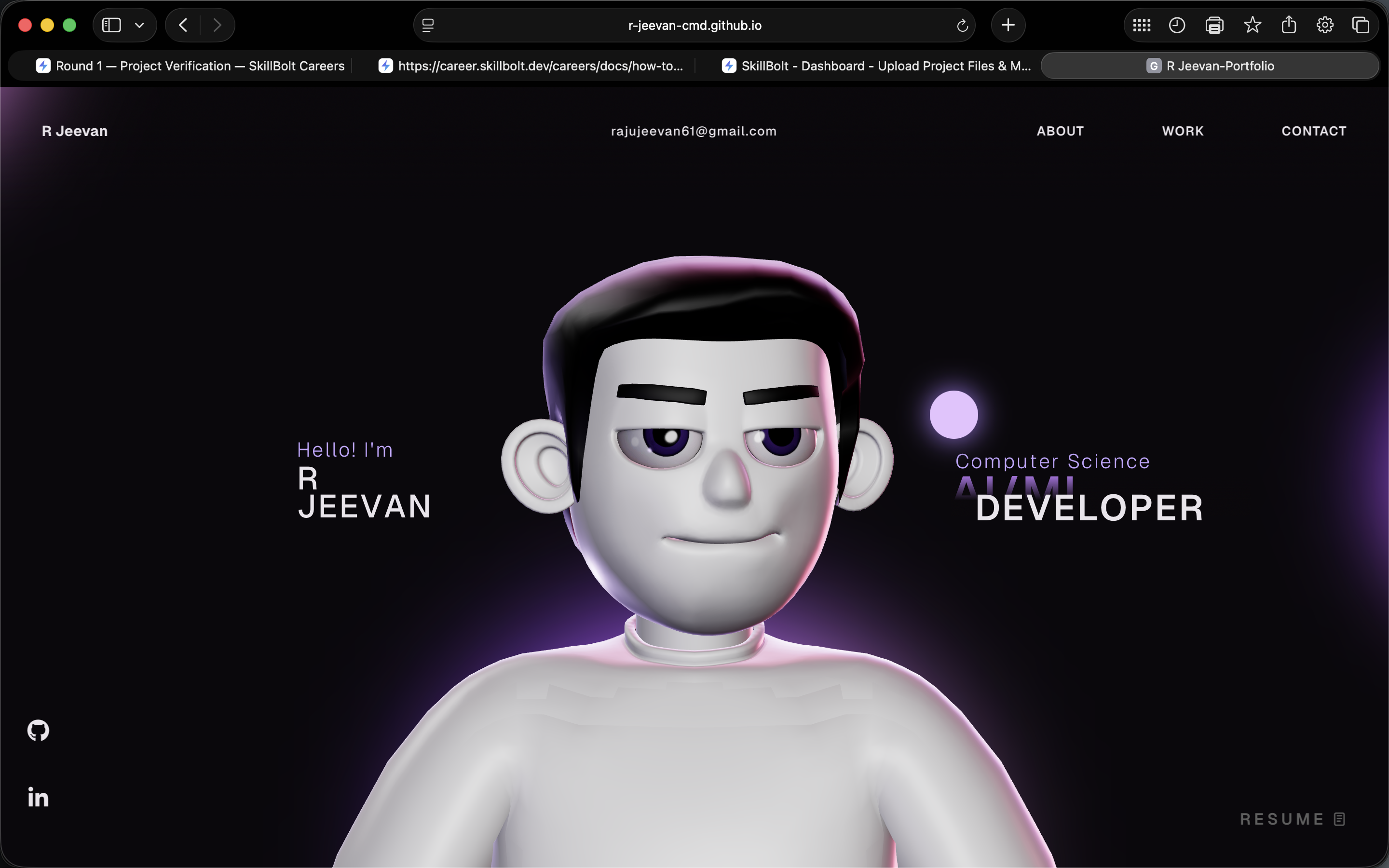
Modern Developer Portfolio Website
A modern developer portfolio website built with React, TypeScript, and Vite to showcase projects, technical skills, education, and experience.
 website Development
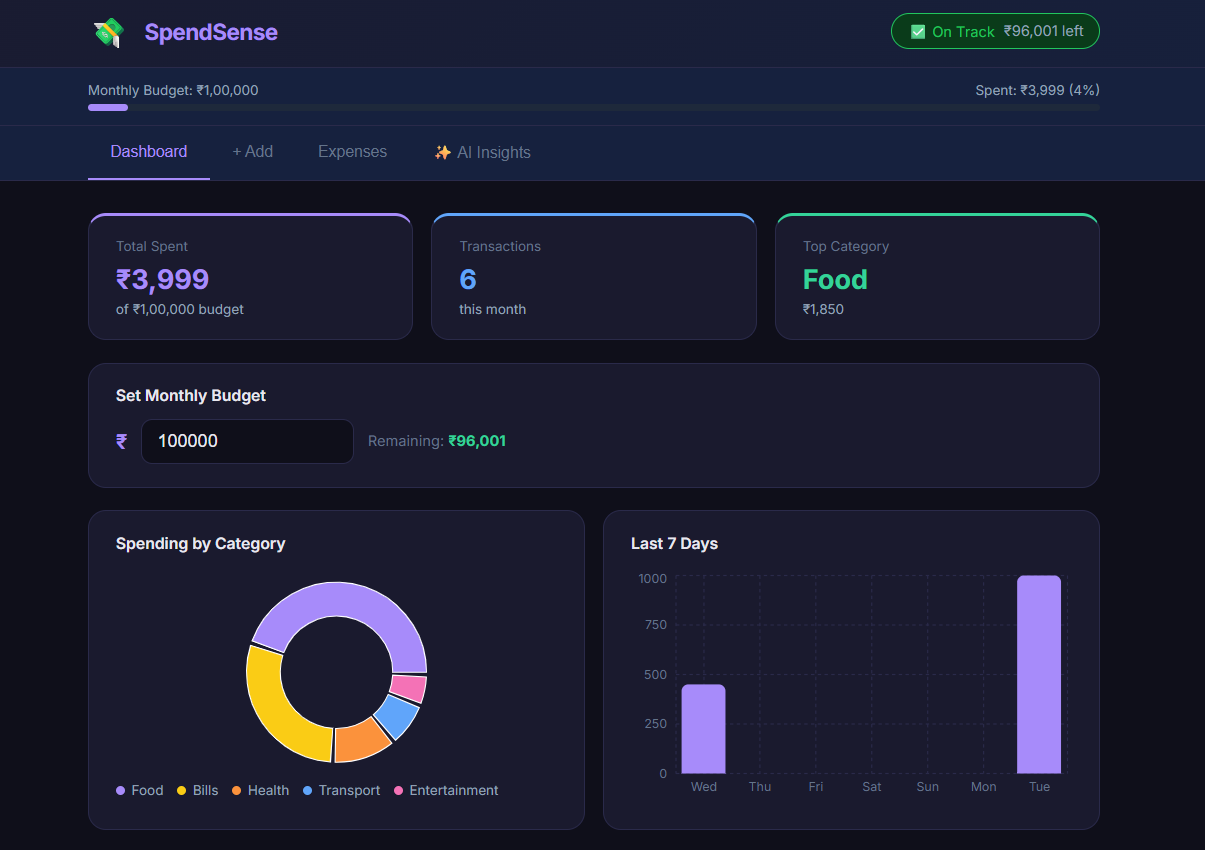
SpendSense - AI-Powered Expense Tracker
A full-stack expense tracker with real-time charts, budget alerts, and AI-powered personalized financial insights.
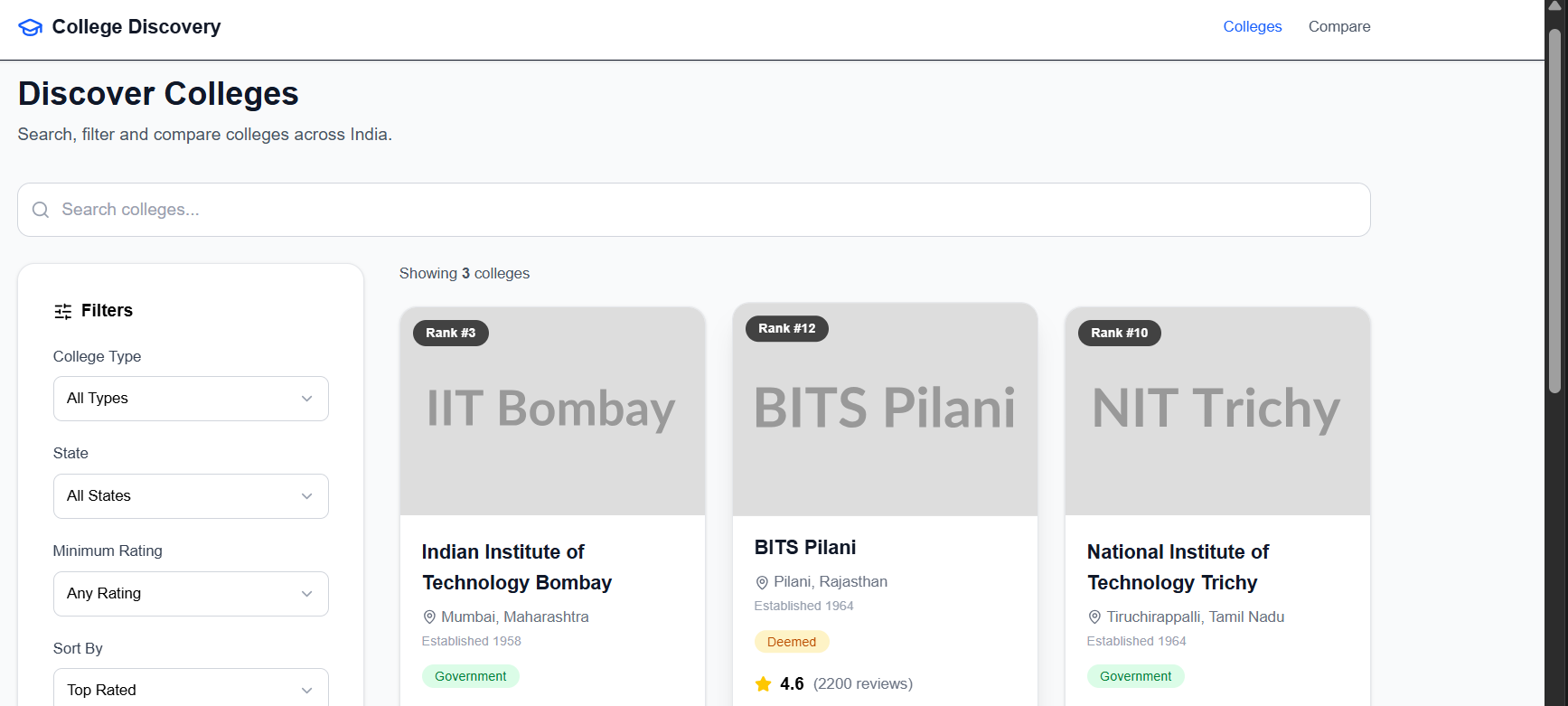 website Development
College Discovery Platform
A modern college discovery platform that helps students search, filter, explore, and compare colleges through an intuitive and responsive interface.
 website Development
ExploreSphere - Full-Stack Travel & Heritage Discovery Platform
A full-stack MERN platform featuring 100+ campgrounds, interactive maps, secure authentication, and immersive heritage exploration.